40
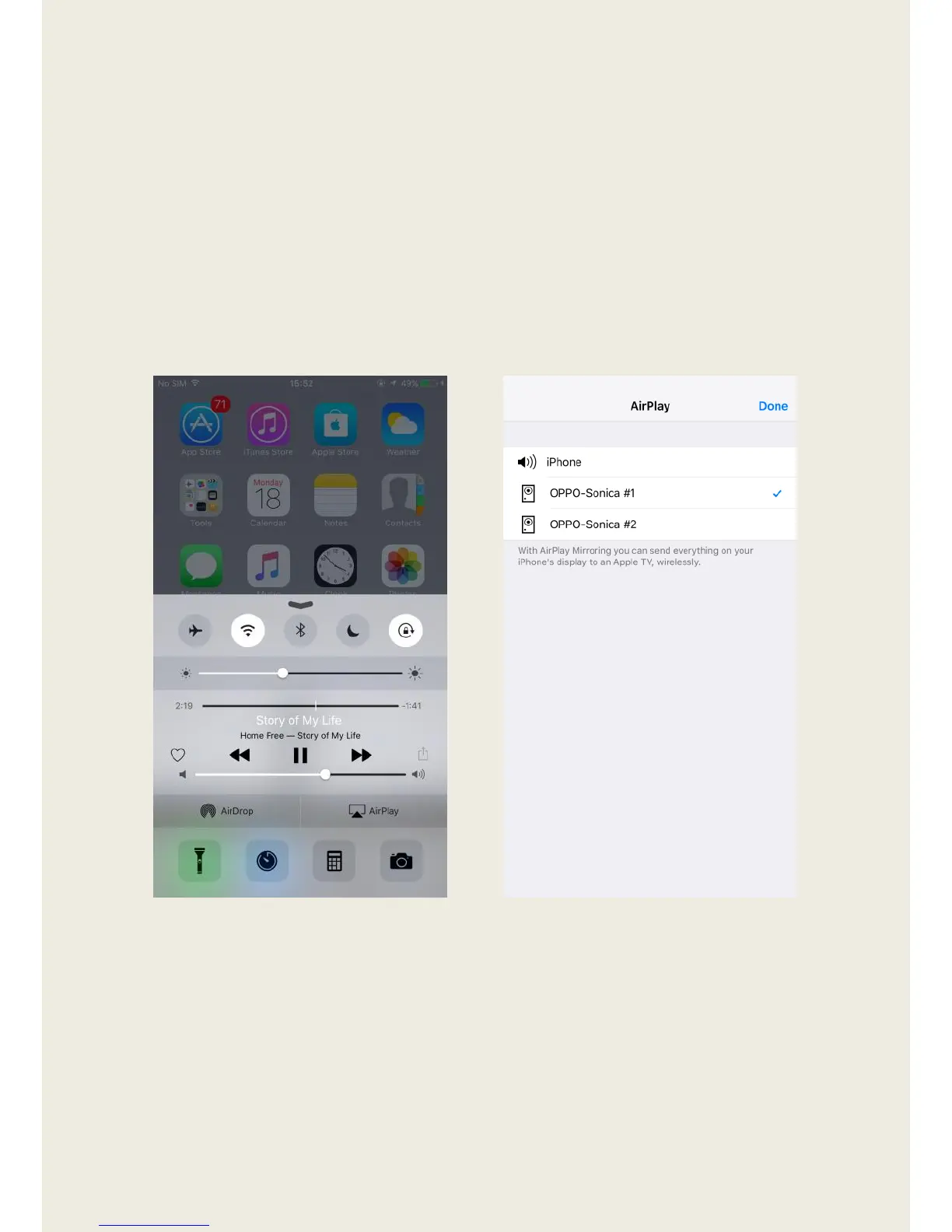
AirPlay
1. Ensure that your AirPlay compatible device is on the same network as
your Sonica device.
2. Start playing a song from your local music library or a music streaming
app on your AirPlay compatible device, then tap the “AirPlay” button in
the iOS Control Center or in the iTunes app on personal computers, and
select a Sonica device to stream to.


 To Next Page