34
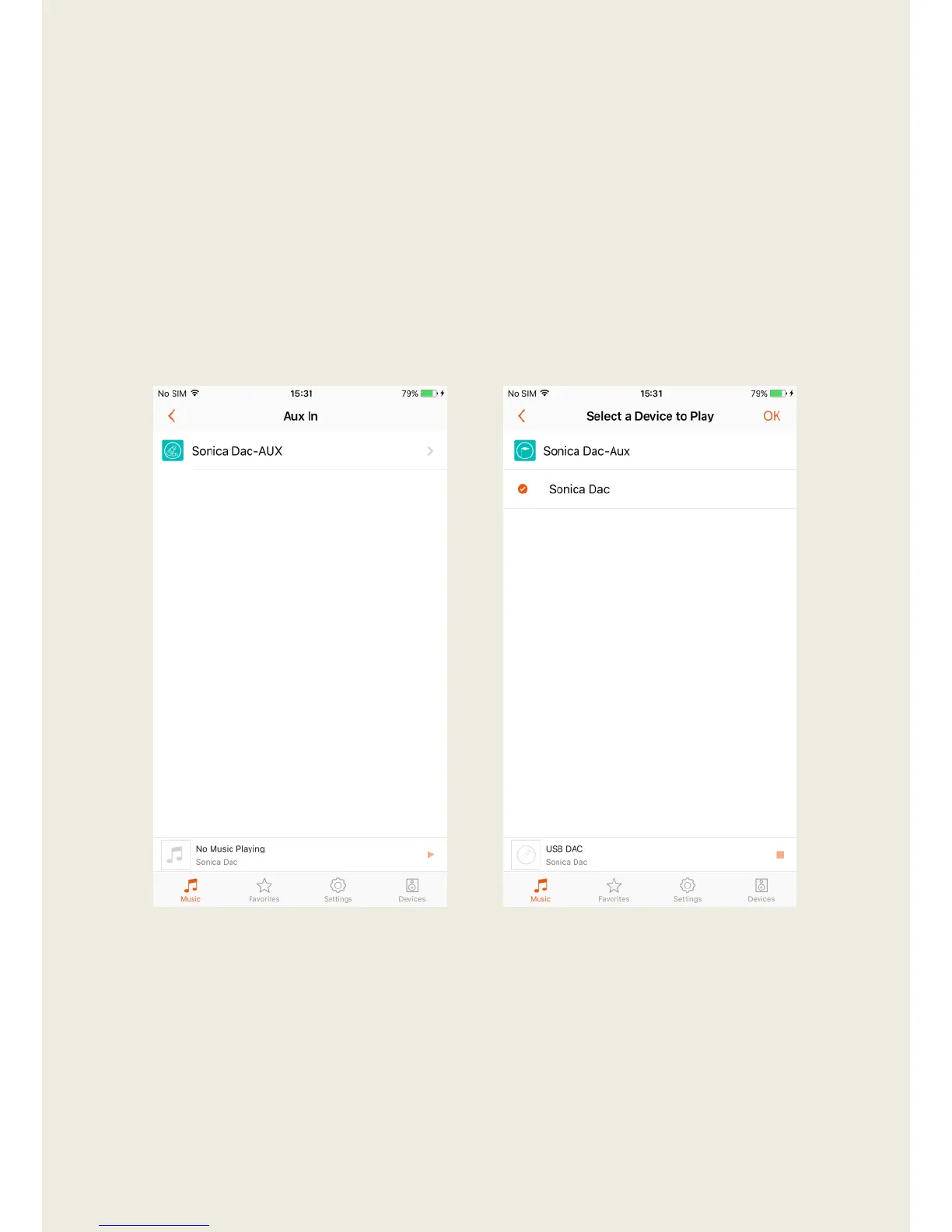
3. In case the Aux In input port is not enabled automatically, launch the
Sonica app, tap “Music” and select “Aux In”. Tap on the name of a
desired device and then tap “OK” on the upper right corner to enable the
Aux In input port.
4. An alternate way to enable the Aux In input port without the app is to
unplug and re-plug the cable at the Sonica device end.
5. When the Aux In input port is enabled, you can see “Aux” appear under
the device name in the “Devices” page.


 To Next Page