SETTING
13
Factory Reset
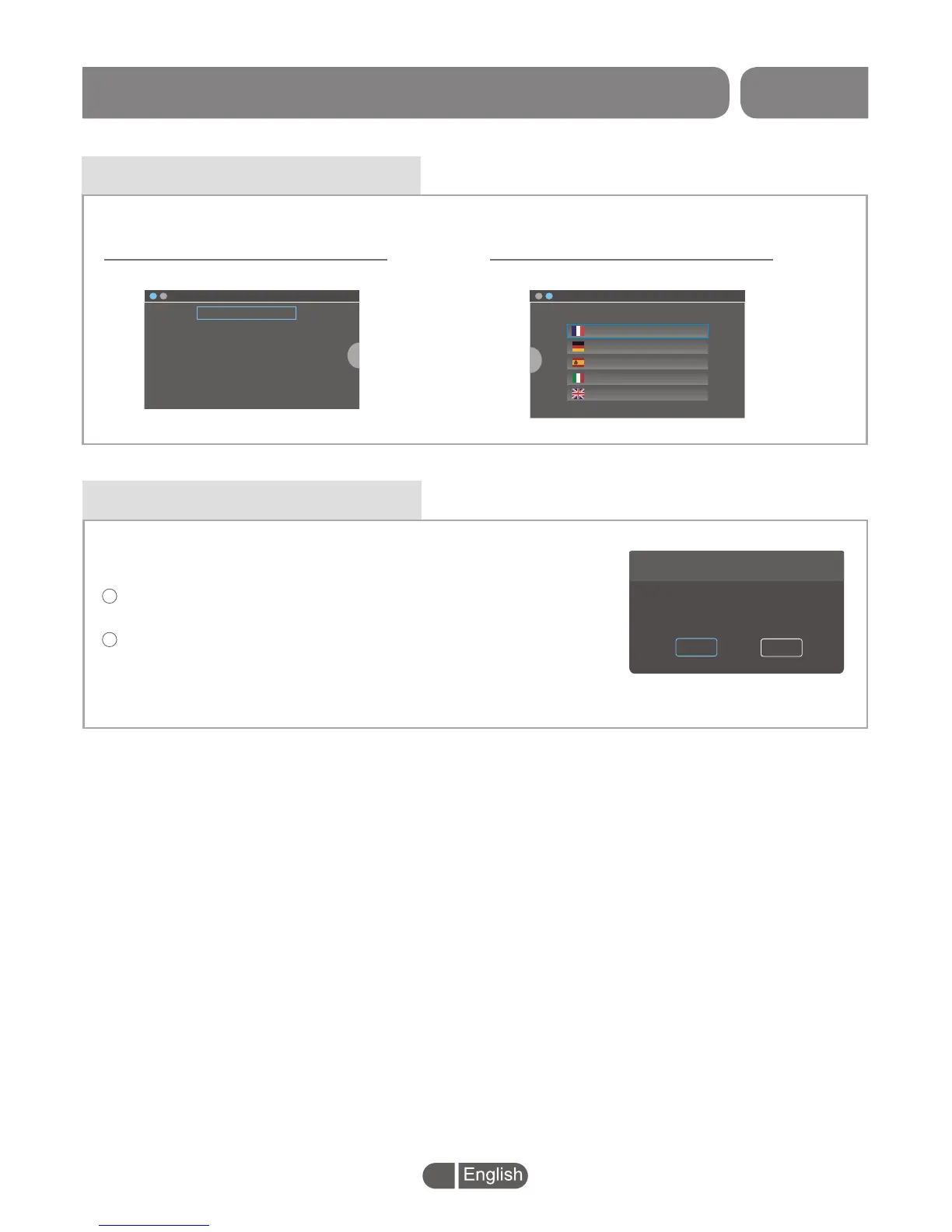
In Setting main menu, highlight the "Factory Reset" and press
"OK" button,
A warning window appears.
Select "YES" to back to factory setting
Select "NO" to cancel the operation.
1
2
Factory Setting
This operation will load default and erase all the user data,
continue?
NO
YES
This menu allows you to delete all existed data and back to the
factory setting.
System Setting
This menu allows you to set the Language and the Country.
>
English
France
Deutsch
Espanol
Italiano
Nederland
Portugal
polish
~
>
Please select your country.
France
Germany
Spain
Italy
Britain
GMT+1:00
GMT+1:00
GMT+1:00
GMT+1:00
GMT+0:00
>
Set up the Language Select the Country


 To Next Page