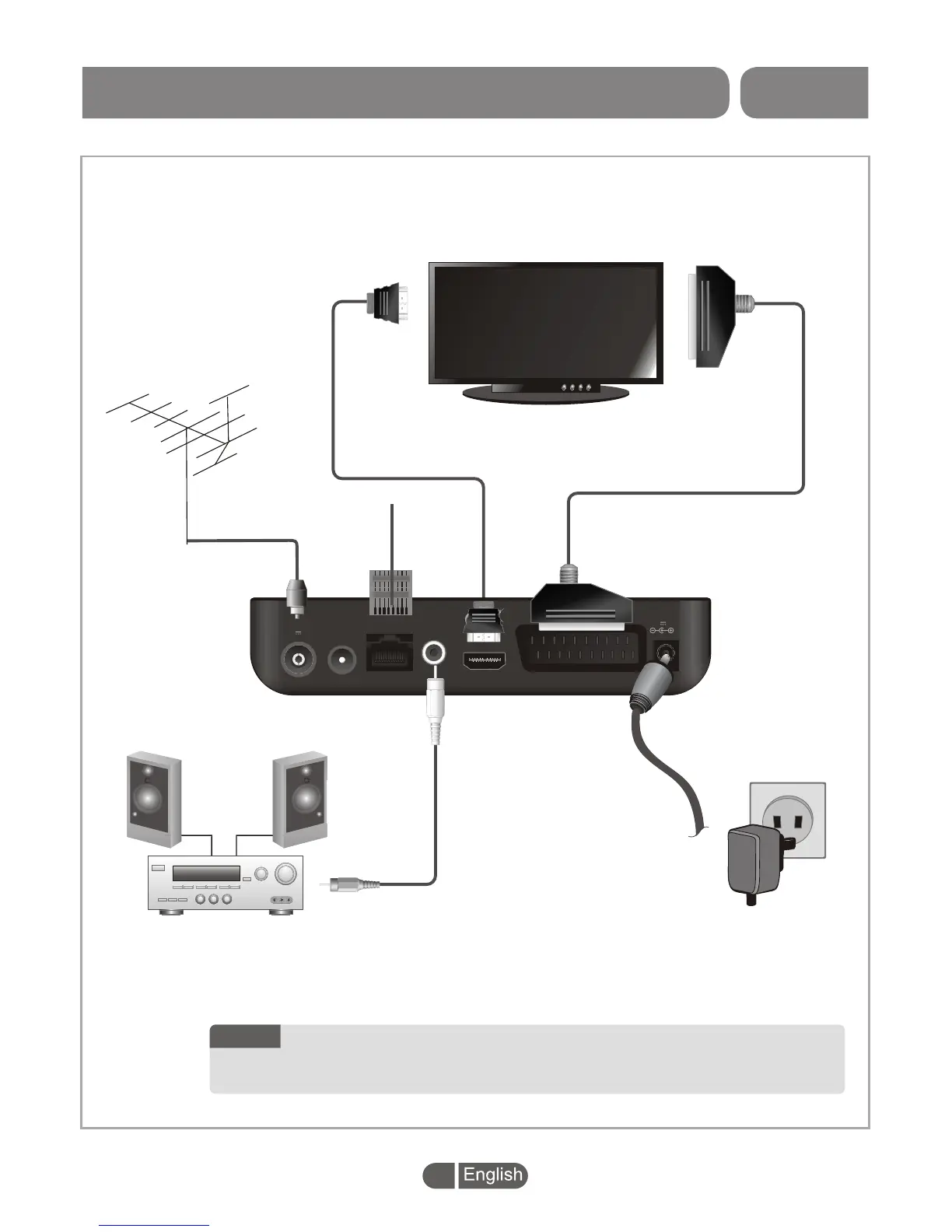
HDMI
RF OUT
RF IN
5V 50mA
COAXIAL
TV SCART
LAN
12V
1A
RF cable
Scart cable
Aerial
OVERVIEW
There are many different types of TV and other equipment that you can connect to the BOX.
In this manual you will see some of the most common ways to connect your equipment.
HDMI TV
HDMI cable
LAN
Stereo Amplifier
SYSTEM CONNECTION
3
1. Do not plug/unplug HDMI connector while the BOX power is on.
2. Power indicator will turn green when the BOX power on, and
turn red when the BOX goes standby.
NOTE:


 To Next Page