Channel Edit (Continued)
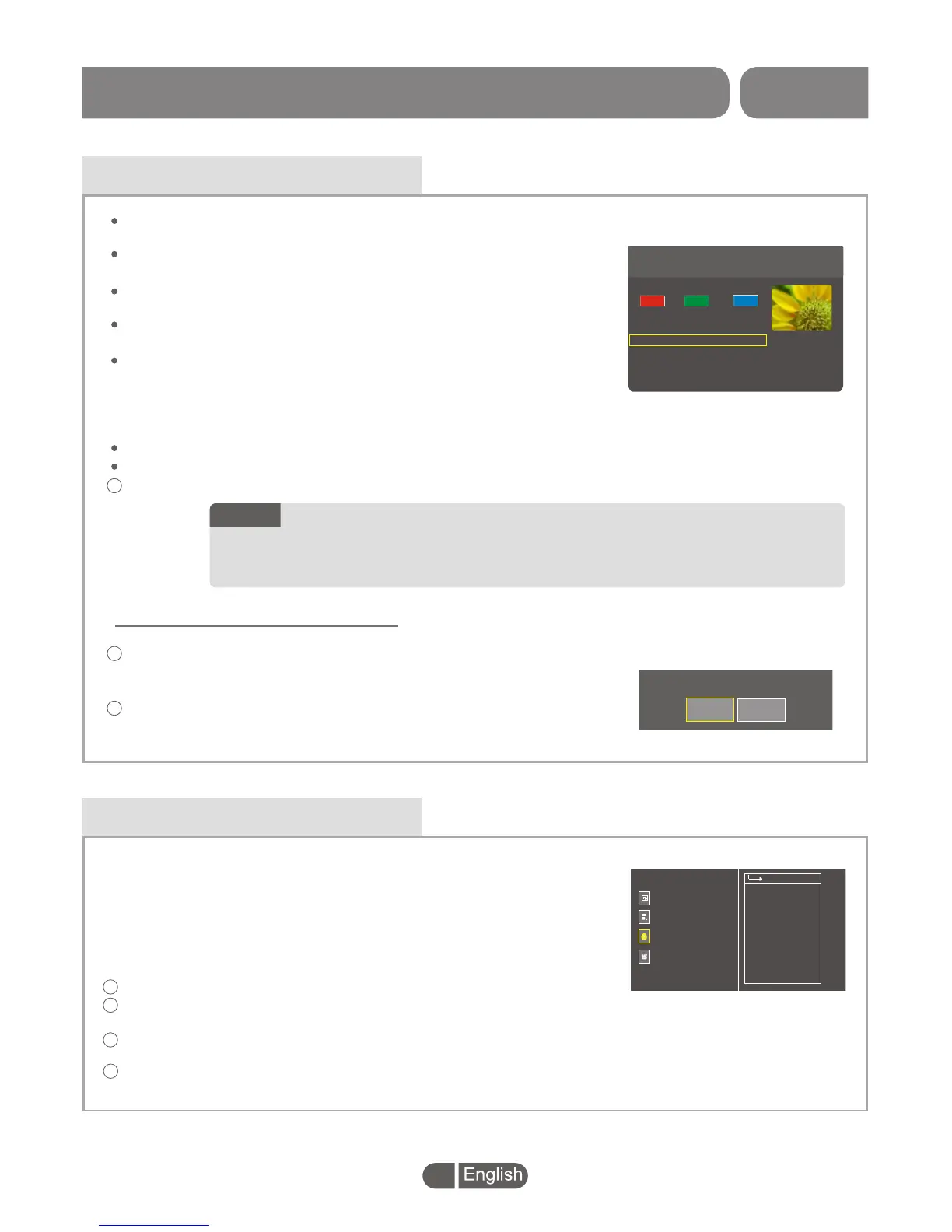
Press "FAV" button, then press "OK" button to set the FAV
channels.
Press "Red" button to activate "Lock" function. Then press
"OK" button to lock the selected channels. you will be asked
to input the password (The default password is "0000" or
"1234") to lock the selected channels.
Press "Green" button to activate "Skip" function, press "OK"
button to skip the desired channel.
Press "Yellow" button to activate "Move" function, highlight
the desired channel and press "OK" button to confirm.
Press "UP" or "DOWN" button to select the new position,
press "OK" button, the channel will be moved to the new
position.
Press "Blue" button to enter Channel Edit sub menu.
Press colour buttons again to exit the corresponding function.
Press "EXIT" button to save and back to "Channel Edit" menu.
3
1
2
In the Channel Edit menu, select "Delete All", press "OK" button.
You are asked to input a password(the default password is
"0000"or "1234").
A warning window appears.
Select "Yes", press "OK" button to delete all channels.
Select "No", Press "OK" button to cancel deleting.
Delete All Channels ?
NO
YES
TV Channel List
ALL Channel
0017 TMC
0018 Service 1
0019 Service 2
0020 Service 3
0021 Service 4
0022 Service 5
0023 Service 6
DVBT
Service 2
801264KHz/
PID:513/514EAC
GI:AUTO FEC:1/2
>
>
SORT
RENAME
DEL
7
Basically, the operation of "Radio Channel List" is the same as "TV
Channel List", but there is one point different: In "Radio Channel List"
mode, there is no video information, so it will always display Radio's
logo in the right side preview window.
NOTE:
Delete All
System Setting
4
1
2
3
Press the "MENU" button to enter the main menu.
Press "UP" or "DOWN" button to highlight "System Setting",
press "RIGHT" button to enter the System Setting menu.
Press "UP" or "DOWN" cursor button to highlight the desired
item and press "OK" button to enter the sub-menu.
Press "EXIT" button to exit.
Many aspects of your set-top BOX can be set to reflect your
circumstances and preference for Set-top BOX Application.
You can set up "Language","TV System","Local Time Setting",
"Timer Setting","Parental Lock","OSD Setting","Favorite","Auto
Description" and "Other".
>
>
Channel Search
Channel Edit
System Setting
Tools
Language
TV System
Local Time Setting
Timer Setting
Parental Lock
OSD Setting
Favorite
Audio Description
Other
In the full screen mode of Set-top BOX,
SET TOP BOX


 To Next Page