4
1
2
3
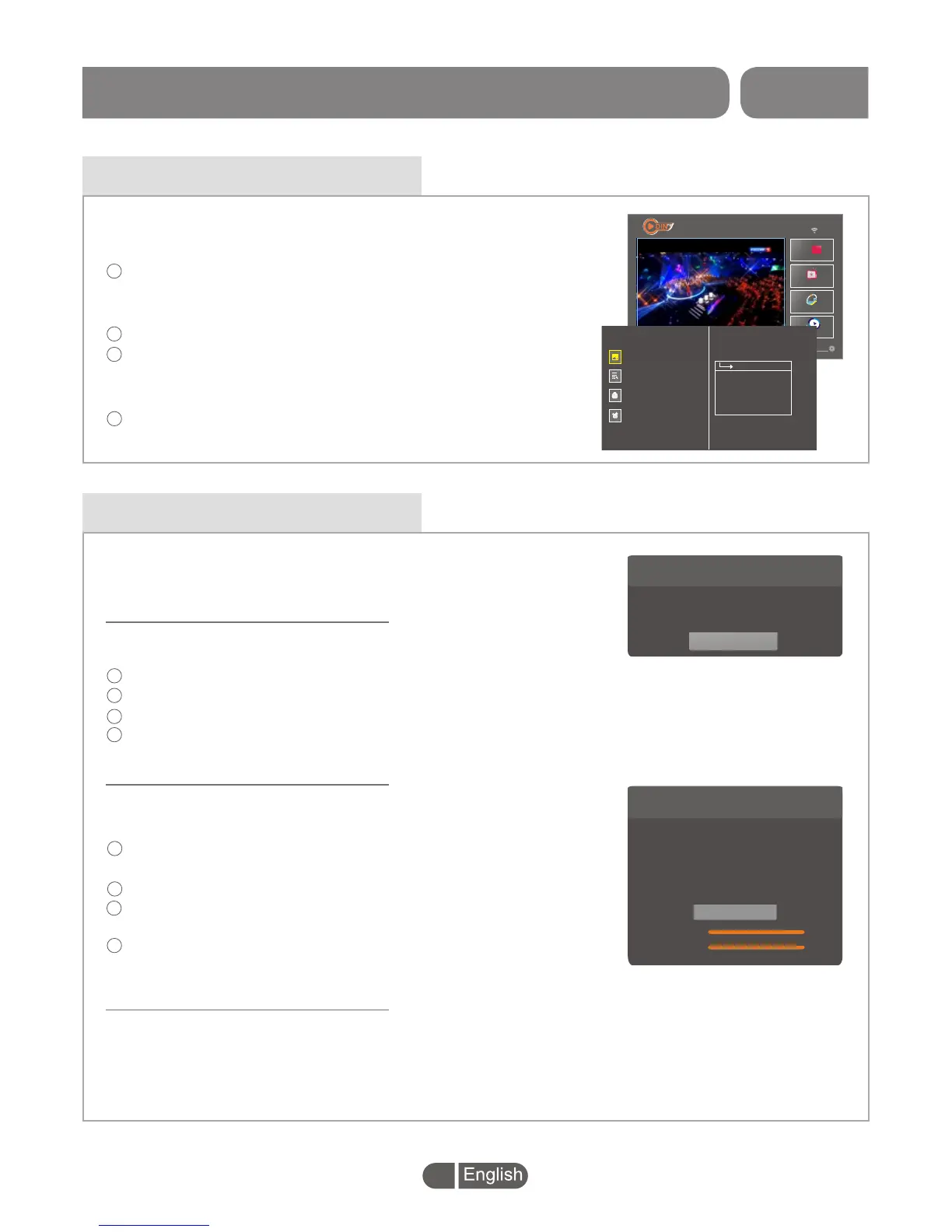
Press "LEFT" button to highlight Set-top BOX at the far left of
the Screen and press "OK" button to enter the full screen of
Set-top BOX.
Press the "MENU" button to enter main menu.
Press "UP" or "DOWN" button to highlight the desired item.
Press "OK" button to enter the sub menu.
Press "LEFT" button to back to the main menu.
Press "EXIT" button to exit.
Main menu
SET TOP BOX
5
You
Tube
Live Channel
2017-06-23
03:41
TV Store
4
1
2
3
Press "LEFT" button to highlight Set-top BOX at the far left of
the Screen and press "OK" button to enter the full screen of
Set-top BOX.
Press the "MENU" button to enter main menu.
Press "UP" or "DOWN" button to highlight the desired item.
Press "OK" button to enter the sub menu.
Press "LEFT" button to back to the main menu.
Press "EXIT" button to exit.
Main menu
SET TOP BOX
5
You
Tube
Live Channel
2017-06-23
03:41
TV Store
Mediaplayer
Setting
>>
>
>
Channel Search
Channel Edit
System Setting
Tools
Auto Scan
Manual Scan
LCN
In Set-top BOX mode, the menu allows you to set up "Channel
Search","Channel Edit","System Setting" and "Tools" .
Channel Search
This menu allows you to set up "Auto Scan", "Manual Scan" and
"LCN" option.
Auto Scan
Auto Scan
FTA Only
Off
T2 Only
Off
>
>
>
>
Scan
In "Channel Search" menu, press "RIGHT" button to Highlight "Auto Scan",
press "OK" button to enter the Auto Scan sub menu.
Press the cursor button to set "FTA Only" /" T2 Only".
Highlight "Scan", press the "OK" button to start channel scan automatically.
1
2
4
"Auto Scan" menu allows you to set up automatic channel search.
3
"Manual Scan" menu allows you to set up manual channel search.
1
2
3
Search
Manual Scan
Scan Mode
By Frequency
Scan Band
Channel No
Frequency
Band width
VHF
>
>
>
>
CH0(177500)
>
>
706000
8 Mhz
>
>
Signal Intensity
100%
100%
Signal Quality
Manual Scan
In "Channel Search" menu, press "RIGHT" button to Highlight
"Manual Scan",
press "OK" button to enter the Manual Scan sub menu.
Press the cursor button to set "Scan mode", "Scan Band" ,
"Channel No","Frequency" and "Band width".
Highlight "Search", press "OK" button to start channel scan
manually.
4
LCN
This menu allows you to activate/disactivate the LCN function.
If LCN (Logical Channel Number)Select function is activated,You can't change the original
number of TV channels by scanning.


 To Next Page