Tools
10
4
1
2
3
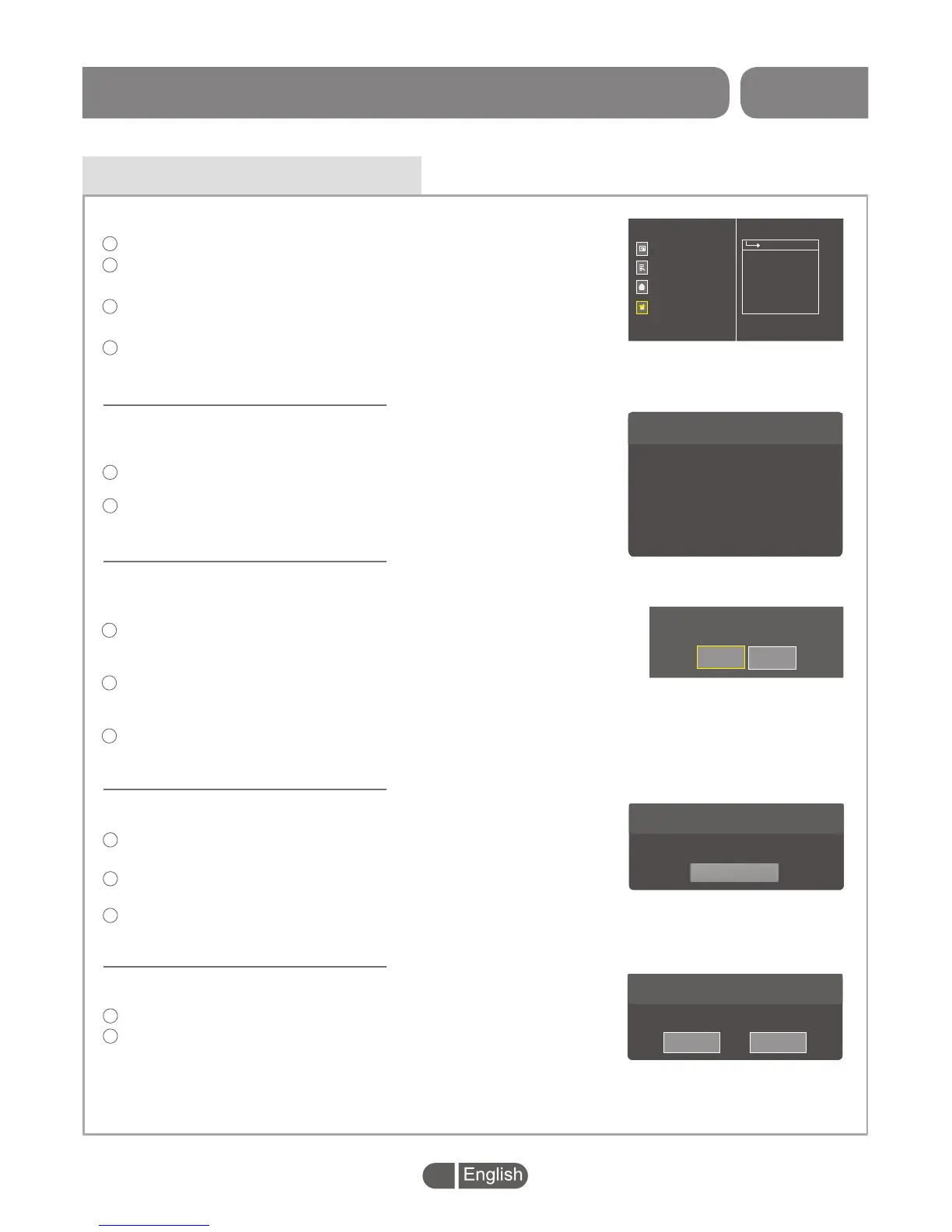
Press the "MENU" button to enter main menu.
Press "UP" or " DOWN " button to highlight "Tools",
press "RIGHT" button to enter the Tools menu.
Press "UP" or "DOWN" cursor button to highlight the
desired item and press "OK" button to enter the sub-menu.
Press "EXIT" button to exit.
>
>
Channel Search
Channel Edit
System Setting
Tools
Information
Factory Setting
Software Upgrade
Remove USB device safely
PVR Setting
In the full screen mode of Set-top BOX,
In "Tools" menu, select "Information", press "OK" button to
open information window.
Press "EXIT" button to exit "Information" menu.
1
2
You will find here important information about the hardware and
embedded software.
Information
Receiver
Hardware
Software
Software Version
Build Date
S/N
Mac
M3627
MC6654-VER1.0
Demo
H265 V1.1.32_pvr
Jun 20 2017 10:22:16
sn
XX:XX:XX:XX:XX:XX
Information
This menu allows you to re-set the BOX back to the factory settings,
clear all existed channels.
In the "Tools" menu, select "Factory Setting", press "OK" button.
You are asked to input a password(the default password is"0000"
or "1234").
A confirmation window is displayed.
Select "OK" to return back to factory settings and clear all channels.
Select "Cancel" to cancel back to factory settings.
Press "EXIT" button to exit.
1
2
3
This operation will load default and erase
all the channels that user added,continue?
Cancel
OK
Factory Setting
Press "EXIT" button to exit.
In the "Tools" menu, select "Software Upgrade ", press "OK"
button, Software Upgrade menu will be display.
1
2
Highlight "Start Upgrade" menu and press "OK" button
to start upgrade.
3
This menu allows you to upgrade software version by USB .
Upgrade Setting
Upgraded by
USB
>
>
Start Upgrade
Software Upgrade
In "Tools" menu, select "Remove USB device safely",
Press "OK" button to confirm. Then a window is displayed.
Select "OK" button to remove the USB device.
Select "Cancel" button to cancel the operation.
This menu allows you to remove the external USB device safely.
1
2
Disk Remove
Disk Remove
DISK_a
>
>
CancelOK
Remove USB device safely
SET TOP BOX


 To Next Page