System Setting (Continued)
9
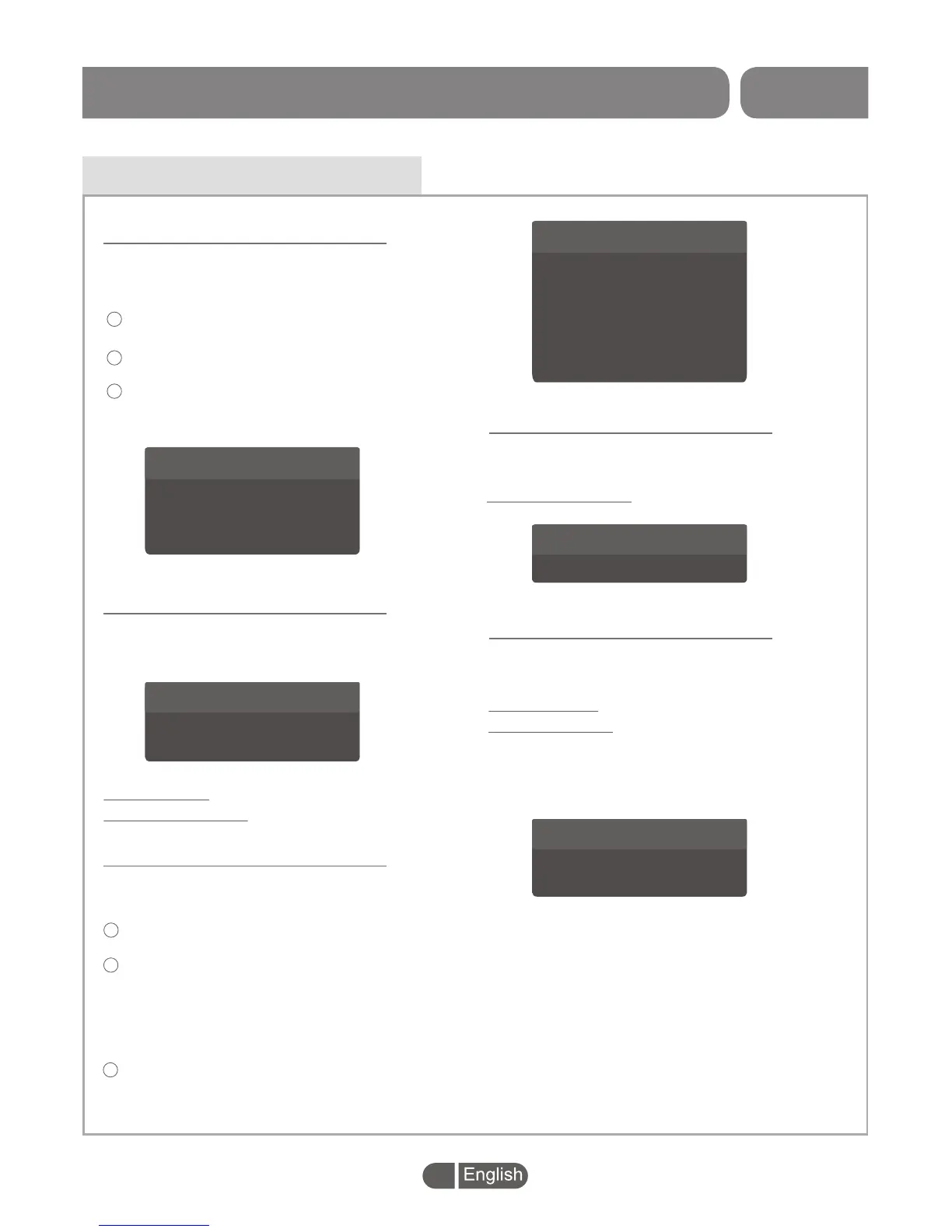
Parental Lock
This menu allows you to lock the menu and the
channels, set Rating Lock and change the
Password.
In "System Setup" menu, select "Parental Lock"
and press "OK" button,
you are asked to input the password(the
default password is"0000" or "1234").
After inputting the correct password, you can
set up the Parental Lock and change the
password.
Parental Lock
>
>
>
>
Off
Off
----
----
Menu Lock
Rating Lock
New Password
Confirm Password
1
2
3
This menu allows you to set the time of OSD
Timeout and OSD Transparency .
OSD Timeout:
OSD Transparency:
1-6s
Off/10%/20%/30%/40%.
OSD Setting
OSD Timeout
OSD Transparency
4s
Off
>
>
>
>
OSD Setting
Favorite List
Favorite 1
Favorite 2
Favorite 3
Favorite 4
Favorite 5
Favorite 6
Favorite 7
Favorite 8
Fav Group 1
Fav Group 2
Fav Group 3
Fav Group 4
Fav Group 5
Fav Group 6
Fav Group 7
Fav Group 8
This menu allows you to rename the favorite
group.
In "System Setting" menu, select "Favorite",
press "OK" button to enter Favorite menu.
Select the favourite group you want to change,
press "OK" button to open the mock keypad.
Input letter and numeric one by one by
pressing the cursor buttons and press "OK"
button to select, then you can change the
favorite group name successfully.
Press "EXIT" button to quit the group rename
menu.
1
2
3
Favorite
Audio Description
On/Off
Audio Description:
This menu allows you to set up Audio Description.
Audio Description
Audio Description
On
>
>
Auto Standby:
Antenna Power:
This menu allows you to set Auto Standby and
Antenna Power.
1h/2h/3h/Off
On/Off
(STB will provide 5V power
to antenna or will not provide
5V power to antenna).
Other
Other Setting
Auto Standby
Antenna Power
Off
Off
>
>
>
>
SET TOP BOX


 To Next Page