9
1. RS232: Connect to the computer using a serial line.
2. LOOP OUT: Connect another receiver.
3. LNB IN: Connect the satellite antenna cable.
4. USB: One USB Host Port 5. ETHERNET: Connect to internet
6. S/PDIF: Digital Audio output (COAXIAL).
7. HDMI: Connect to the TV using an HDMI cable
8. TV SCART: Connect to the TV using a Scart cable.
9. VIDEO: Connect to the TV using an AV cable for Video
10. AUDIO-L: Connect to the TV using an AV cable for left audio
11. AUDIO-R: Connect to the TV using an AV cable for right audio
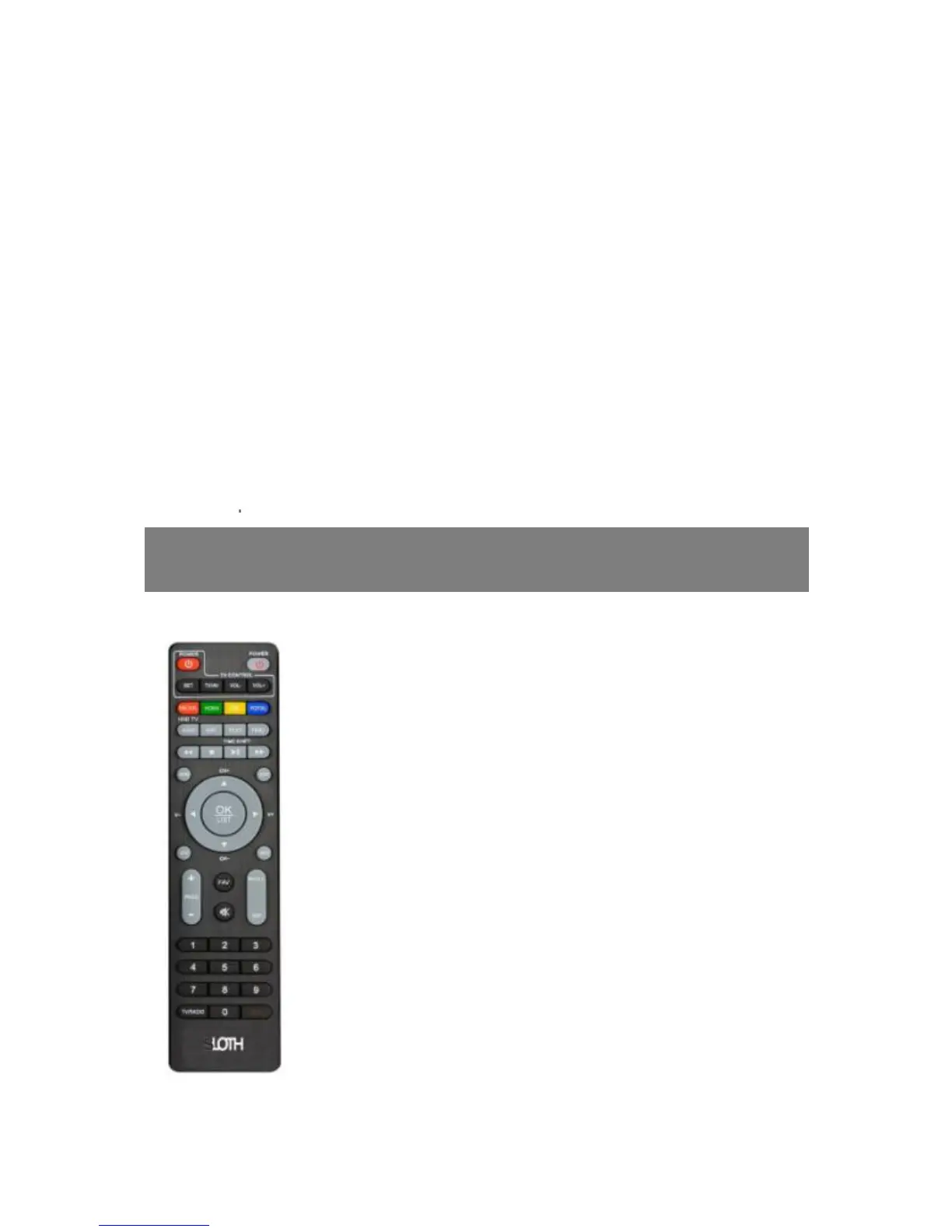
Remote Control Unit
1. POWER: Switches TV between Operation and Standby modes
TV CONTROL
2. POWER: Switches Receiver between Operation and Standby
modes.
3. SET: set TV function
4. TV/AV: Switch between TV and AV
5. VOL-/VOL+: Change TV volume in viewing mode.
6. MEDIA: To Multi-Media menu.
7. HDMI: change video Resolution
8. USB: Enter into USB interface
9. PORTAL: Enter into internet interface
10. AUDIO: Display the audio list
11. SUBT: Display the subtitle language list.



 To Next Page