12
COMMUNICATION MODES
Continuously send mode: the indicator continuously sends the data to the RS232 port
Manually send mode: Press UNIT for 1 second to send the current data to the RS232
port
Command Send Mode: From a computer send ASCII R character (hexadecimal 52) to
the indicators RS232 port and the indicator will respond with the current data
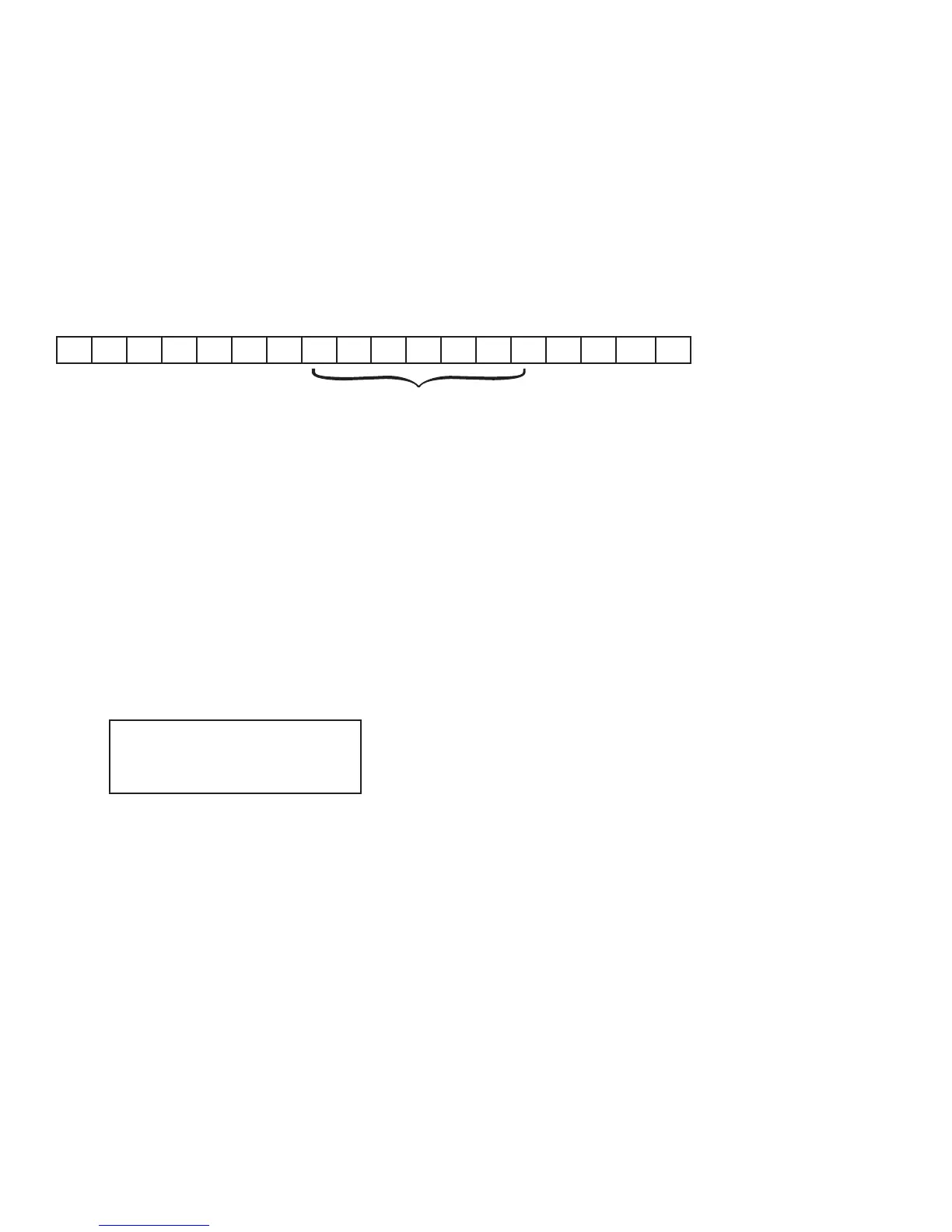
Communication Format is done using ASCII as shown below:
, , CR LF
{
{
{
S 1 S 2 S 3 Data S 4
S1: weight status, ST=standstill, US=not standstill, OL=overload
S2: weight mode, GS=gross mode, NT=net mode
S3: weight of positive and negative, “+” or “-”
Data: weight value, including decimal point
S4: “kg” or “lb”
CR: carriage return
LF: line feed
Manual Send Mode Print out example:
ST, GS+ 5.12KG
ST = Stable
GS = Gross
+ = Weight is positive
5.12 = Weight
KG = Unit measurement


 To Next Page