4
OPERATING INSTRUCTIONS
Powering On or Off
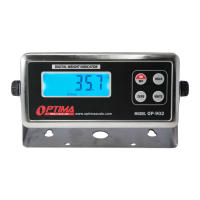
● Press ON/OFF key for 1 second to power on. Machine will self inspect and count
from
1 - 9
before entering weighing mode and displaying 0
● Press ON/OFF key for 1 second to power off
● Indicator will auto power off when it has low battery
● Auto power-off in 10/20/60 minutes with no operation can be set in the parameters
Zero/Tare
● The zero function is used only when the scale is empty and is not at gross zero due
to material build up
● If the weight on the scale is within the zero range (2% of the max. capacity) and
stable and ZERO is pressed, the indicator will zero the scale and stay in gross
weighing mode
● The Tare function is used when you only wish to see the current change in weight,
not the entire amount of weight that is on the scale
● If the scale is out of the zero range (above 2% of the max. capacity) and
stable the indicator will Tare the scale and go into Net weighing mode when ZERO
is pressed
Print
● To print press and hold the UNITS key when weighing is stable
● Communication Setting must be set to #2 for Print mode


 To Next Page