EasyManua.ls Logo

Optima Scale OP-905 - User Manual

Optima Scale OP-905
31 pages
Print Icon
To Next Page IconTo Next Page
Loading...
optimascale.com
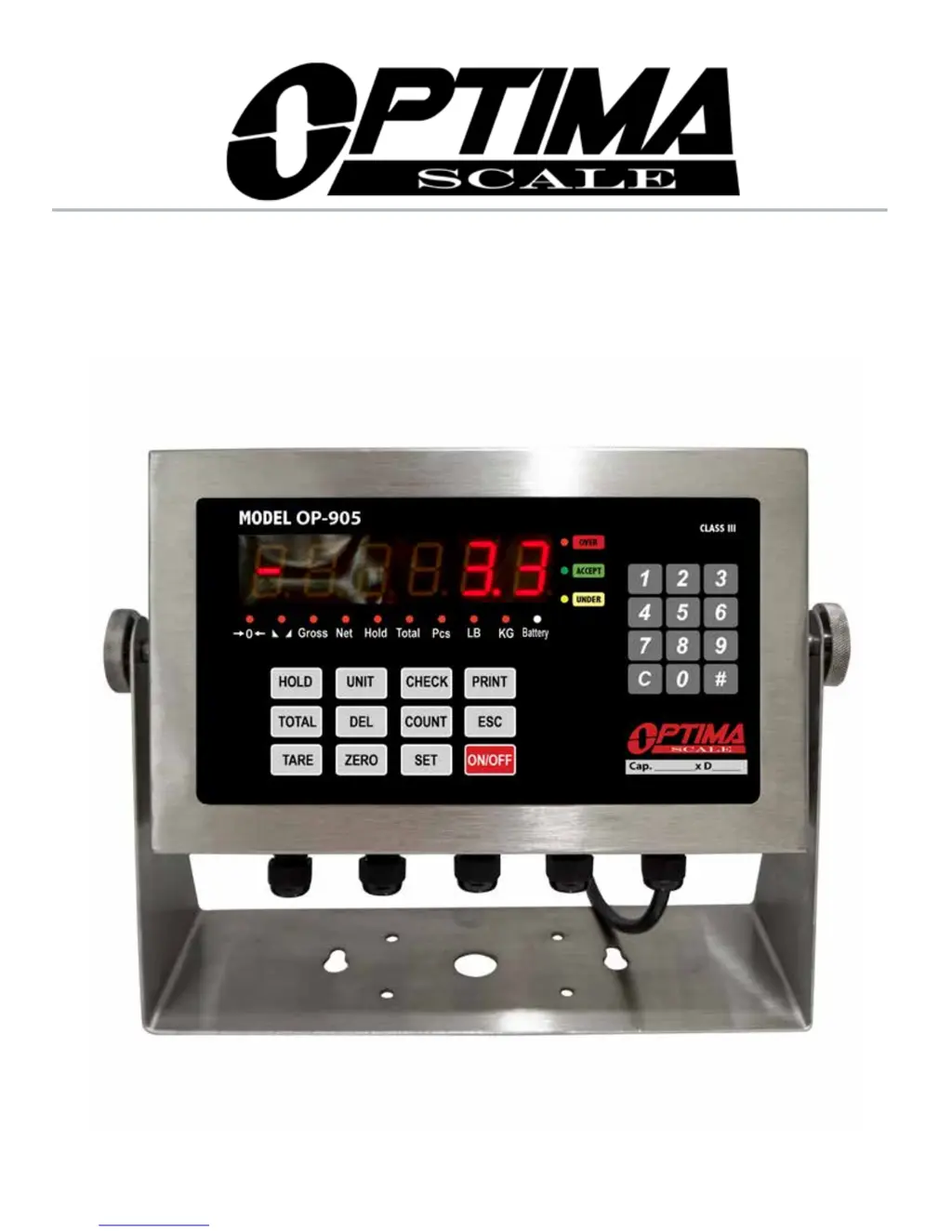
OP-905 INDICATOR
USER’S MANUAL

Questions and Answers

Summary

Safety Precautions

Anti-static Prevention Measures

Measures to prevent static discharge for safe operation of the indicator.

Preparation & Set Up

Features

Technical Parameters

Power Supply

Display and Key Description

Operating Instructions

Powering On and Zeroing

Steps for powering on the indicator and performing the zeroing function.

Calibration Procedure

Step-by-Step Calibration Guide

Detailed instructions for calibrating the indicator, including zero and span calibration.

Calibration Troubleshooting

Steps to resolve issues after calibration, such as incorrect readings or leveling.

Indicator Parameter Settings

Parameter Configuration (C01-C07)

Details on configuring initial parameters like weighing unit, decimal setting, graduation, and capacity.

Parameter Configuration (C08-C21)

Configuration options for hold function, power saving, alarms, and zero range settings.

Parameter Configuration (C22-C42)

Settings for zero tracking, filters, communication formats, and baud rates.

Parameter Configuration (C43-C62)

Configuration for checksum, slave ID, print modes, and baud rates for various communication protocols.

Battery Installation

Scale Installation

Troubleshooting

Error Codes and Solutions

Table listing common error codes, their reasons, and suggested solutions for troubleshooting.

Summary

Safety Precautions

Anti-static Prevention Measures

Measures to prevent static discharge for safe operation of the indicator.

Preparation & Set Up

Features

Technical Parameters

Power Supply

Display and Key Description

Operating Instructions

Powering On and Zeroing

Steps for powering on the indicator and performing the zeroing function.

Calibration Procedure

Step-by-Step Calibration Guide

Detailed instructions for calibrating the indicator, including zero and span calibration.

Calibration Troubleshooting

Steps to resolve issues after calibration, such as incorrect readings or leveling.

Indicator Parameter Settings

Parameter Configuration (C01-C07)

Details on configuring initial parameters like weighing unit, decimal setting, graduation, and capacity.

Parameter Configuration (C08-C21)

Configuration options for hold function, power saving, alarms, and zero range settings.

Parameter Configuration (C22-C42)

Settings for zero tracking, filters, communication formats, and baud rates.

Parameter Configuration (C43-C62)

Configuration for checksum, slave ID, print modes, and baud rates for various communication protocols.

Battery Installation

Scale Installation

Troubleshooting

Error Codes and Solutions

Table listing common error codes, their reasons, and suggested solutions for troubleshooting.

Optima Scale OP-905 Specifications

General IconGeneral
BrandOptima Scale
ModelOP-905
CategoryAccessories
LanguageEnglish

Related product manuals