Assembly
OPTIMUM
MASCHINEN - GERMANY
30 / 11 / 2007Page 24 Assembly Add-on kit D240/D280 ; Version 1.3.3
© 2007
GB
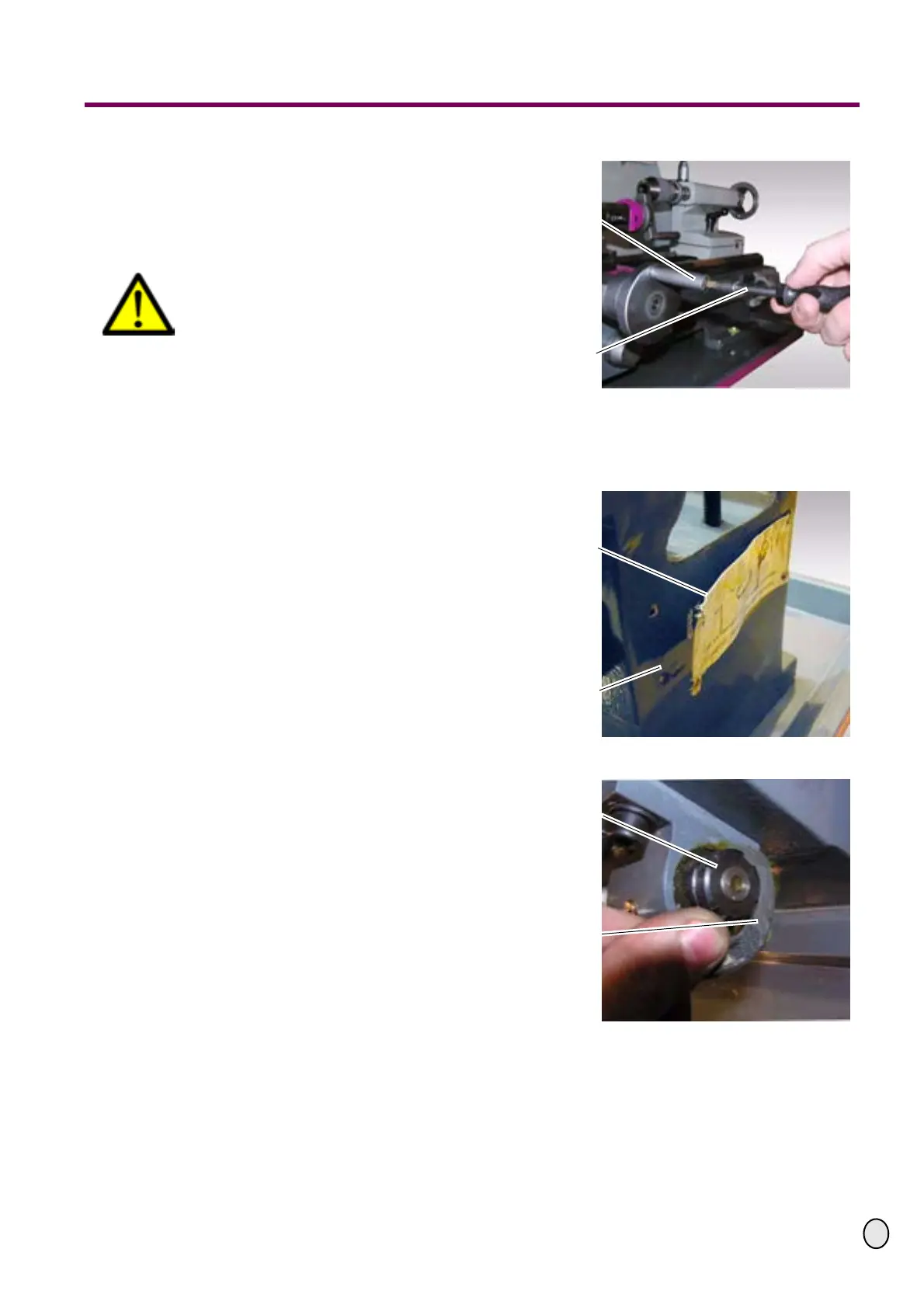
£ Unscrew the handle of the hand-
wheel of the compound slide with a
screw driver.
£ The handle needs to be removed for
safety reasons.
CAUTION!
Danger due to rotating parts.
Illustr.: 4-45: Unscrew handle
4.2 Assembly Z axis
£ Remove the information sign from
the lathe bed with a small chisel and
a hammer.
Illustr.: 4-46: Remove information sign
£ Unscrew the first spindle nut of the Z
axis with a hook wrench.
£ By clamping the apron you can
clamp the spindle of the Z axis. This
facilitates the assembly.
Illustr.: 4-47: Unscrew spindle nut
Handle compound
slide
Screw driver
Information sign on
the lathe bed
Lathe bed
Spindle nut
Hook wrench



 To Next Page