40
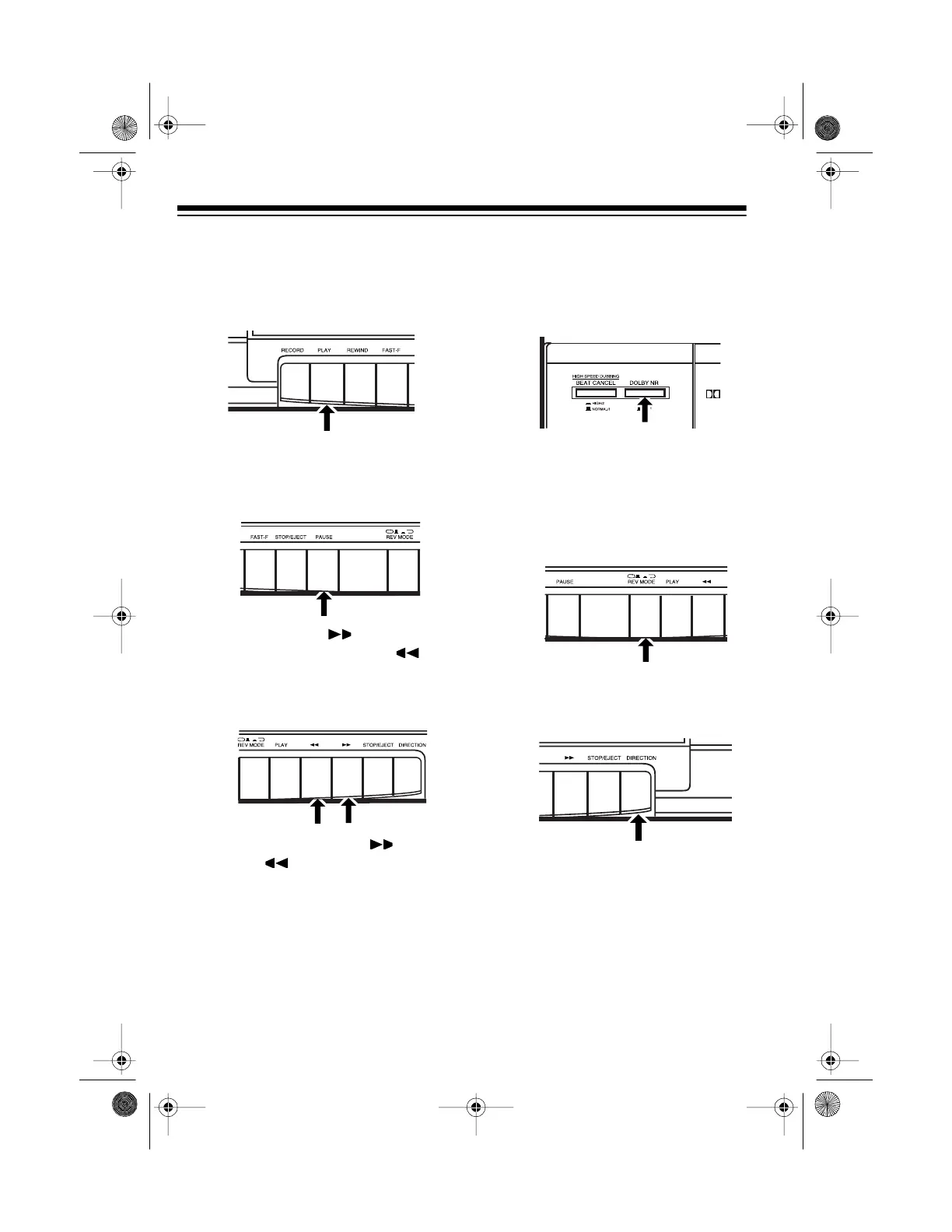
PLAYING A CASSETTE
TAPE
1. Press
PLAY
to start play.
•Press
PAUSE
on Deck 1 to tem-
porarily stop playback. To
resume playback, press
PAUSE
again.
•Press
FAST-F
/ to fast-for-
ward, or press
REWIND
/ to
rewind the tape. When the tape
reaches the desired location,
press
STOP/EJECT
.
Do not press
FAST-F
/ or
RE-
WIND
/ on the other deck, or
the sound quality might deterio-
rate.
2. If the tape is marked DOLBY NR,
set
DOLBY NR
to
ON
. Otherwise,
set
DOLBY NR
to
OFF
(see “Using
Dolby Noise Reduction” on Page
41).
3. If you use Deck 2:
• Press in to play both
sides of the tape one time, or
press out to continu-
ously play both sides of the
tape.
•Press
DIRECTION
to immedi-
ately play the other side of the
cassette tape.
REV MODE
REV
MODE
13-1293.fm Page 40 Wednesday, July 14, 1999 6:49 PM



 To Next Page