42
RECORDING
You can use the System 745 to record
onto a cassette tape from the follow-
ing sources:
• Another cassette tape
• CD changer
• Tuner
• Audio source
Notes:
• Before you record on a cassette
tape, make sure the cassette’s
erase-protection tabs are in place
(see “Preventing Accidental Era-
sure” on Page 45).
• The recording level is preset.
Pressing
E-BASS
or adjusting
MASTER VOLUME
(or
MASTER
VOL –
or
MASTER VOL
+
on the
remote control) does not affect the
recording level or quality.
Dubbing (Copying) Cassette
Tapes
You can use the cassette deck’s syn-
chro dubbing feature to easily copy a
tape from Deck 2 to Deck 1. You can
choose between normal and high-
speed dubbing, and you can monitor
the tape as you dub it.
1. Load the cassette you want to
copy from into Deck 2.
2. Load a blank cassette, or one you
want to record over, into Deck 1.
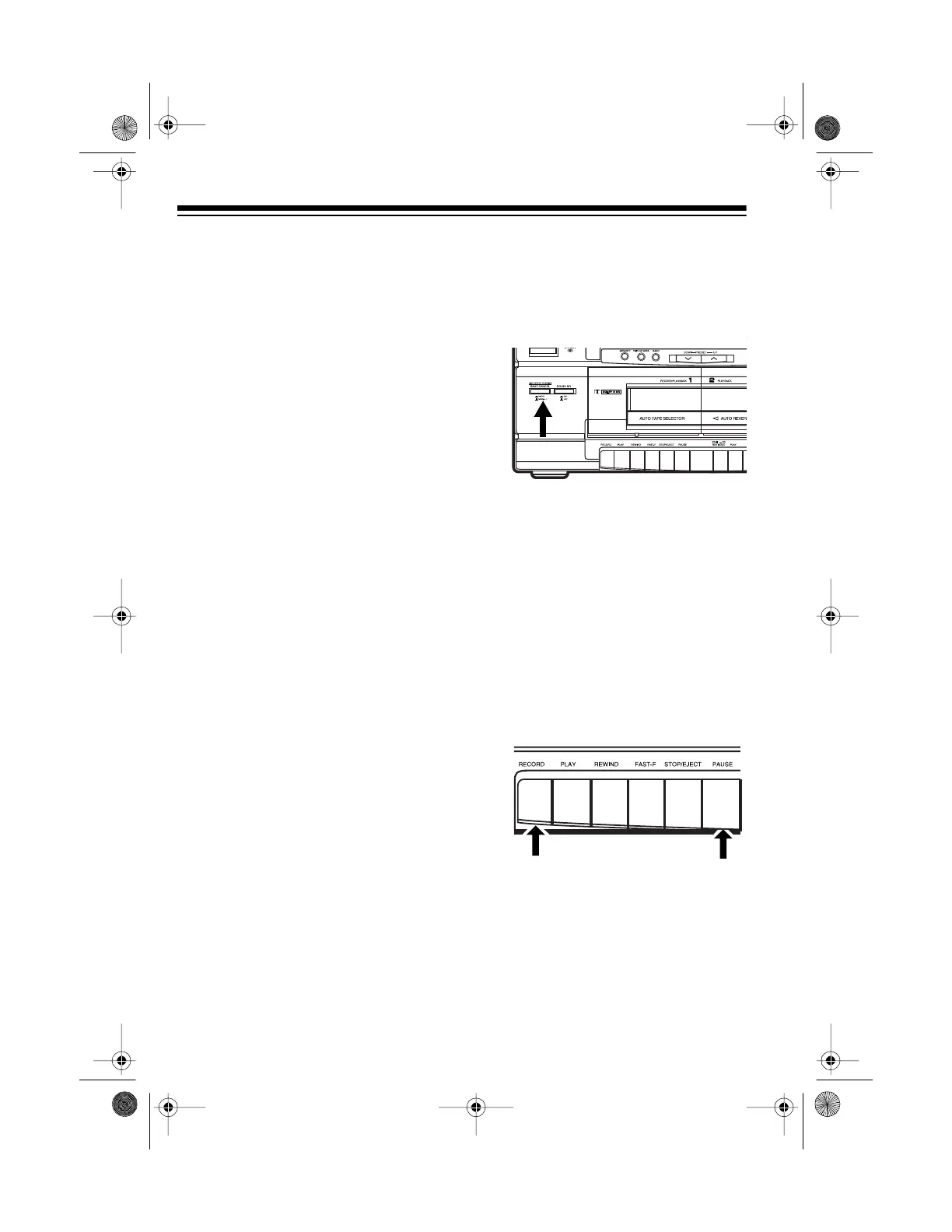
3. Set the dubbing speed.
• To record in half the normal
recording time, press
HIGH
SPEED DUBBING/BEAT CAN-
CEL
so it clicks and stays in.
• To record at normal speed for
better quality sound, press
HIGH SPEED DUBBING/BEAT
CANCEL
so it clicks and stays
out.
Caution:
Do not change the dub-
bing speed while dubbing. Doing
so might cause a distorted record-
ing or damage the tape.
4. On Deck 1, press
PAUSE
then
RECORD
.
RECORD
and
PLAY
on
Deck 1 automatically lock down.
Caution:
Do not force down
RECORD
. This can damage the
recording mechanism.
5. On Deck 2, press
PLAY
.
PAUSE
on Deck 1 releases, and the sys-
tem copies the tape in Deck 2
onto the tape in Deck 1.
13-1293.fm Page 42 Wednesday, July 14, 1999 6:49 PM



 To Next Page