EP776 Series/EP782 Series
Condential 2-3
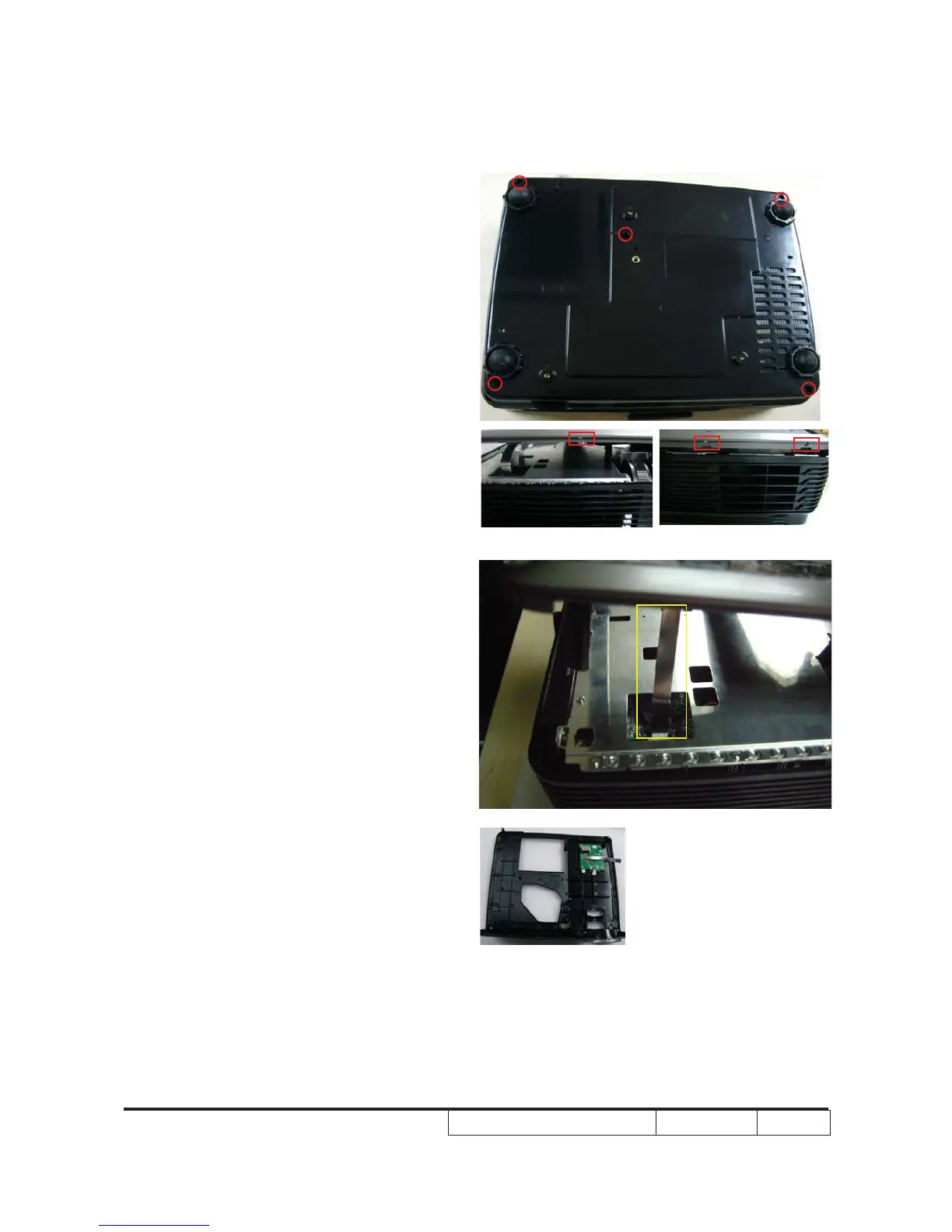
2-4 Disassemble Top Cover
Module
1. Unscrew 5 screws
2. Press 1 tenon on the right side and 2
tenons on the left side (As red square)
3. Unplug 1 connector to disassemble Top
Cover Module (As yellow square)
Top Cover Module



 To Next Page