EP776 Series/EP782 Series
Condential 2-24
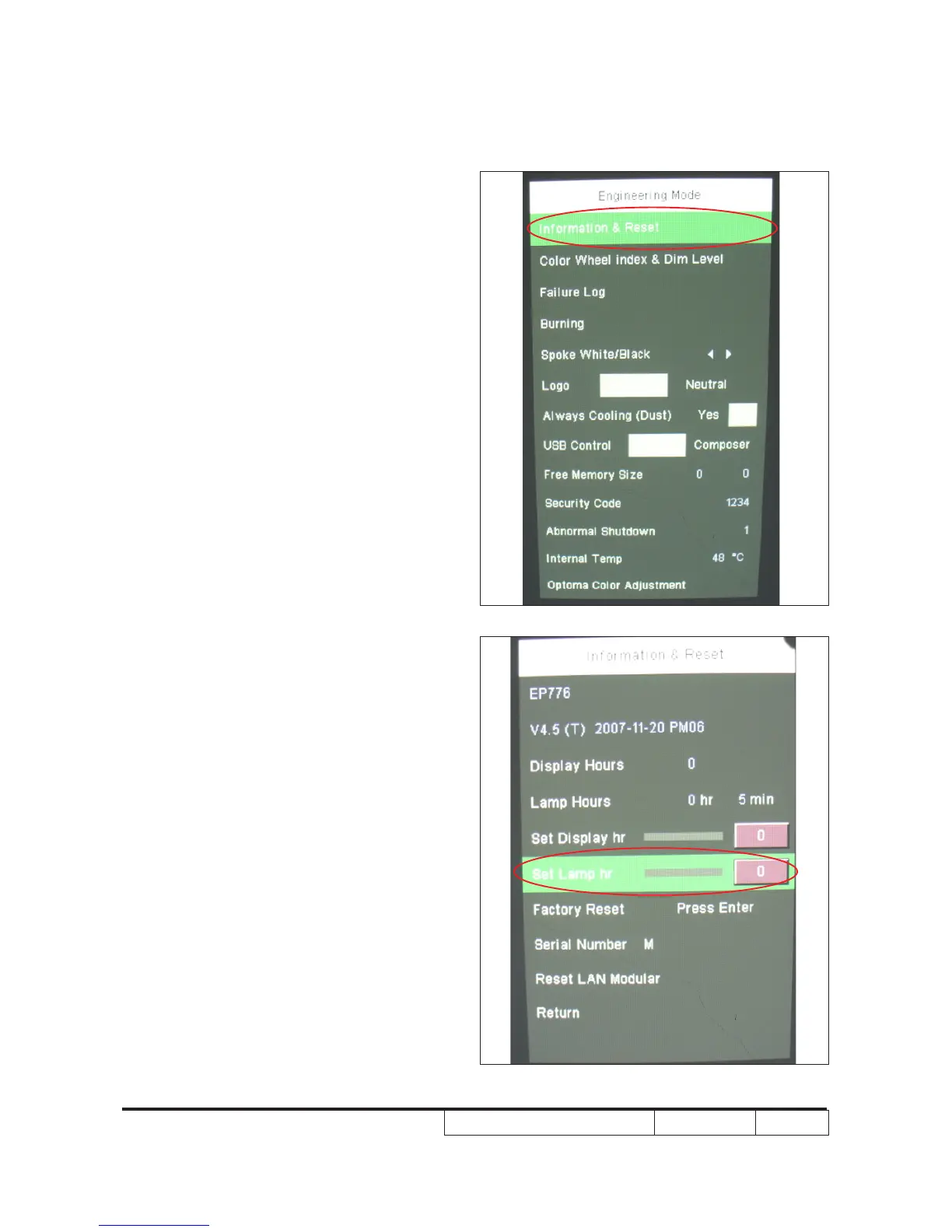
2-30 Re-write Lamp Usage
Hour
1. Get into service mode
- Press “Enter”+“Menu” buttons and wait
for 2 seconds then release these two
buttons to get into service mode.
2. Remove the light mark to
“Information&Reset”
then press the “Enter” to enter in.
3. Remove the light mark to “Set Lamp
hr” and press the “Left” and “Right”
botton to re-write the lamp hour back to
previous lamp usage hour.
4.You can re-write the“Set Display hr” as
the same as “Set Lamp hr”.
5. Choose “Return” to exit.



 To Next Page