EP776 Series/EP782 Series
Condential
4-11
4-9 Network Function Test
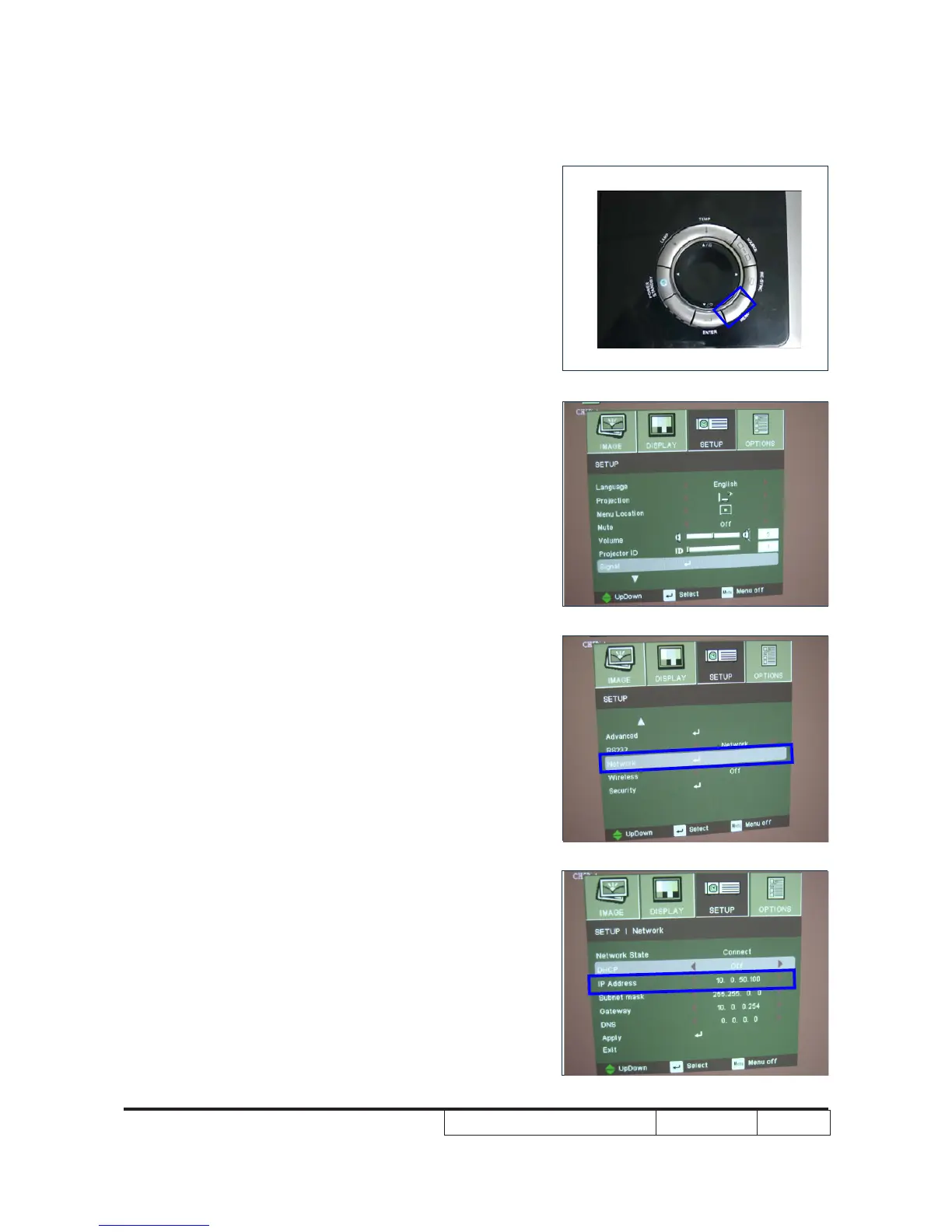
1. Read Projector IP
- Press “Menu” to enter OSD Mode
- Use Left button to select “SETUP”,then press
down button to move the light mark to “▼”,the
picture A will be shown on screen.
- Choose “Network” then press “enter”,the picture
B will be shown on screen,then write down the
IP address.
A
B



 To Next Page