EP776 Series/EP782 Series
Condential 2-20
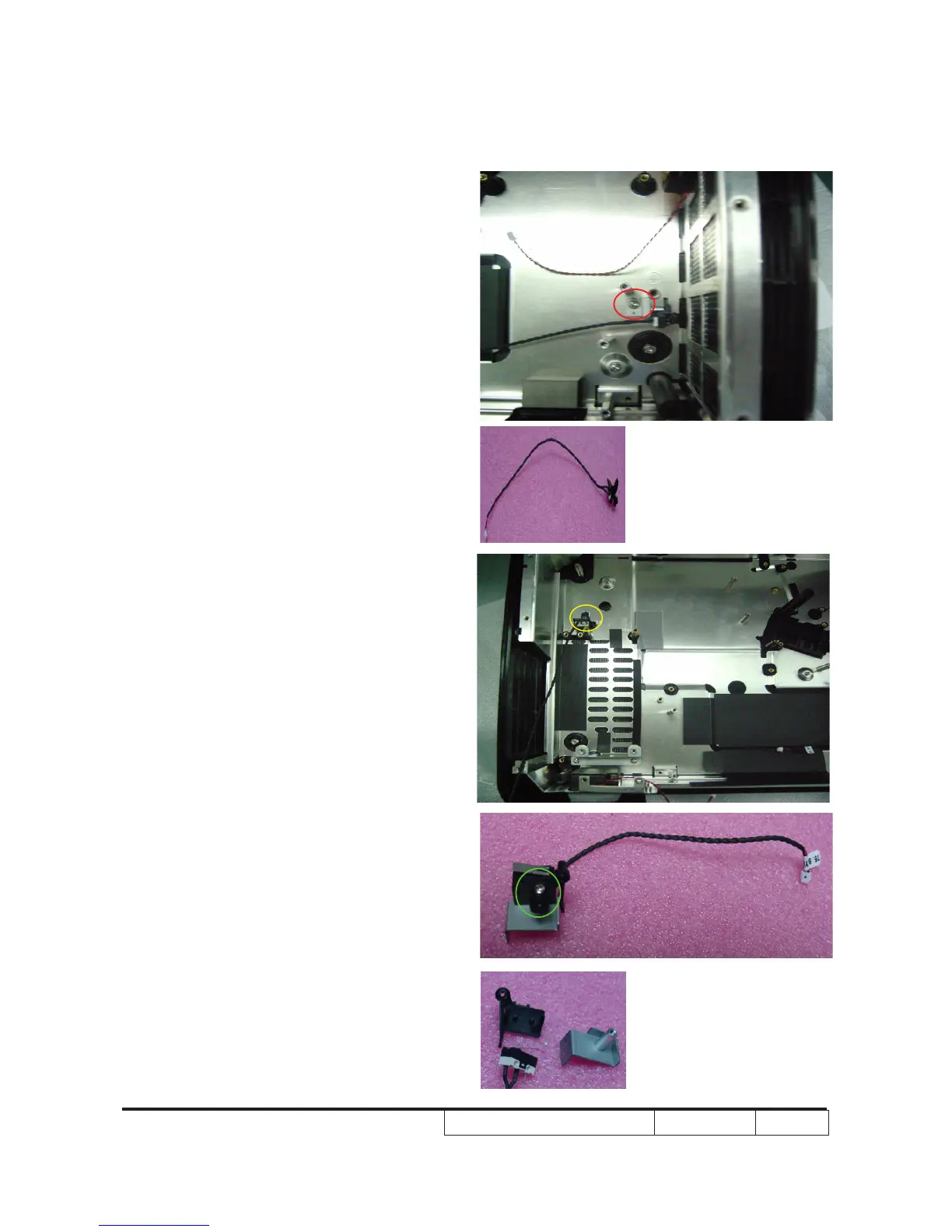
2-26 Disassemble Left &
Right Interrupt Switch
Module
1. Unscrew 1 screw (As red circle)to
disassemble Left Interrupt Switch
Module & Left Interrupt Switch Holder
2. Unscrew 1 screw(As yellow circle) to
disassemble Right Interrupt Switch
Module
3. Unscrew 1 screw (As green circle)to
disassemble Right Interrupt Switch &
Plastic Holder & Iron Holder



 To Next Page