15
English
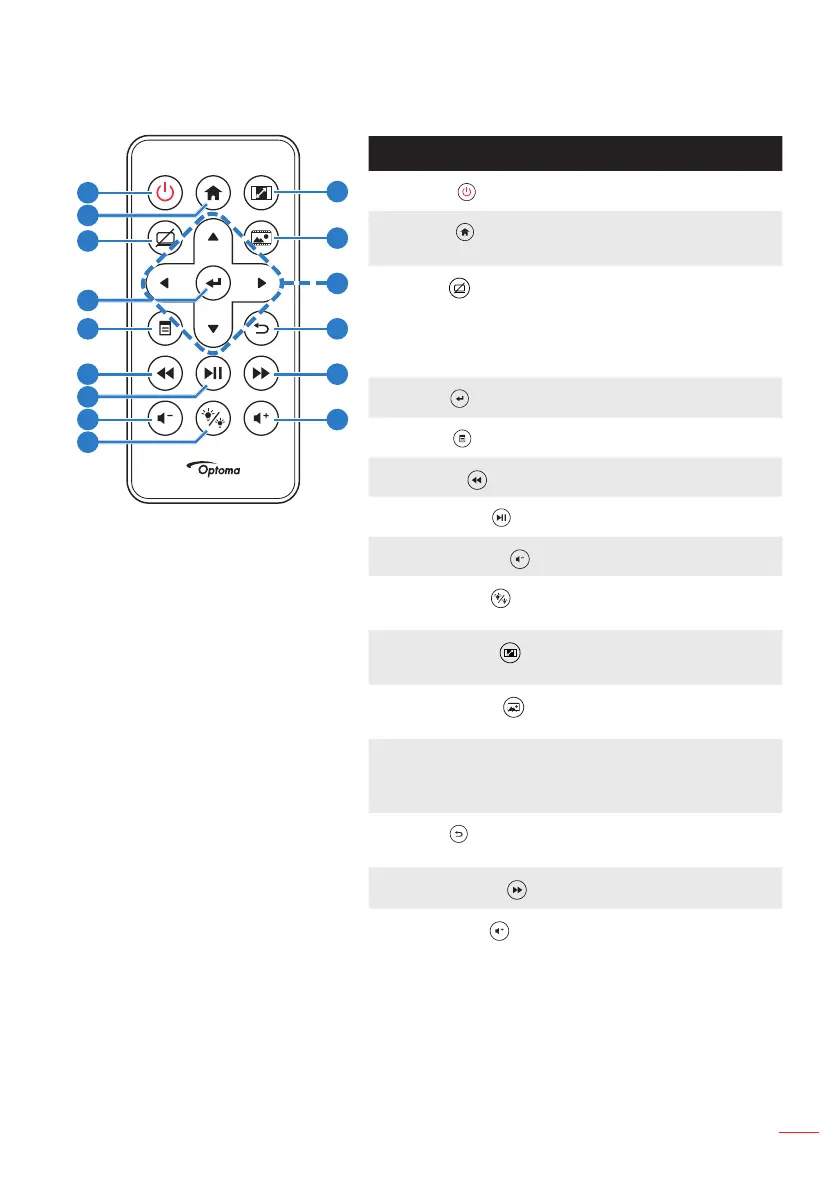
Remote Control
# Name Description
1
Power
Turns the projector on or off.
2
Home
Press to return to the home
page.
3
Mute
Press to mute/unmute audio
and/or video depending on
the chosen mute option in the
OSD menu (Main > Setup >
Advanced > Mute).
4
Enter
Press to confirm the selection.
5
Menu
Press to activate the OSD.
6
Rewind
Press to search backward.
7
Play/Pause
Press to play/pause media file.
8
Volume down
Press to decrease the volume.
9
LED mode
Allows you to select the display
mode.
10
Aspect ratio
Press to change aspect ratio of
a displayed image.
11
Media mode
Press to change Input Source
to Media.
12 Up/Down/Left/
Right
Press to navigate through the
On-Screen Display (OSD) Menu
items.
13
Back
Press to return to the previous
page.
14
Fast Forward
Press to search forward.
15
Volume up
Press to increase the volume.
Note: Home and Back buttons can be used only in Media
mode.
10
11
13
15
12
14
1
2
3
4
5
7
8
9
6



 To Next Page