50
English
Auto Play Feature (Digital Signage Mode)
Playback
1. Content
Full screen playback video files. No Image and ticker.
2. Video/Audio Codec
The supported file formats are listed below:
Ext. lename Video Codec
*1
Audio Codec
*1
Note
*1
.AVI XVID MPEG1,2-audio layer (mpga)
.MPG, .AVI MPEG2(mpgv) MPEG1,2-audio layer (mpga)
.MKV, .MOV, MP4,
.AVI
H.264(avc1)
1. AAC(mp4a)
2. MPEG1,2-audio layer (mpga)
Hight@L4.1,
Hight@L4.0,
Hight@L3.1,
Main@L3.1
*1
Get codec information from MediaInfo ver.0.7.41
(http://mediainfo.sourceforge.net/zh-tw/Download/Windows) or VLC ver.1.1.8.
3. Playback behavior
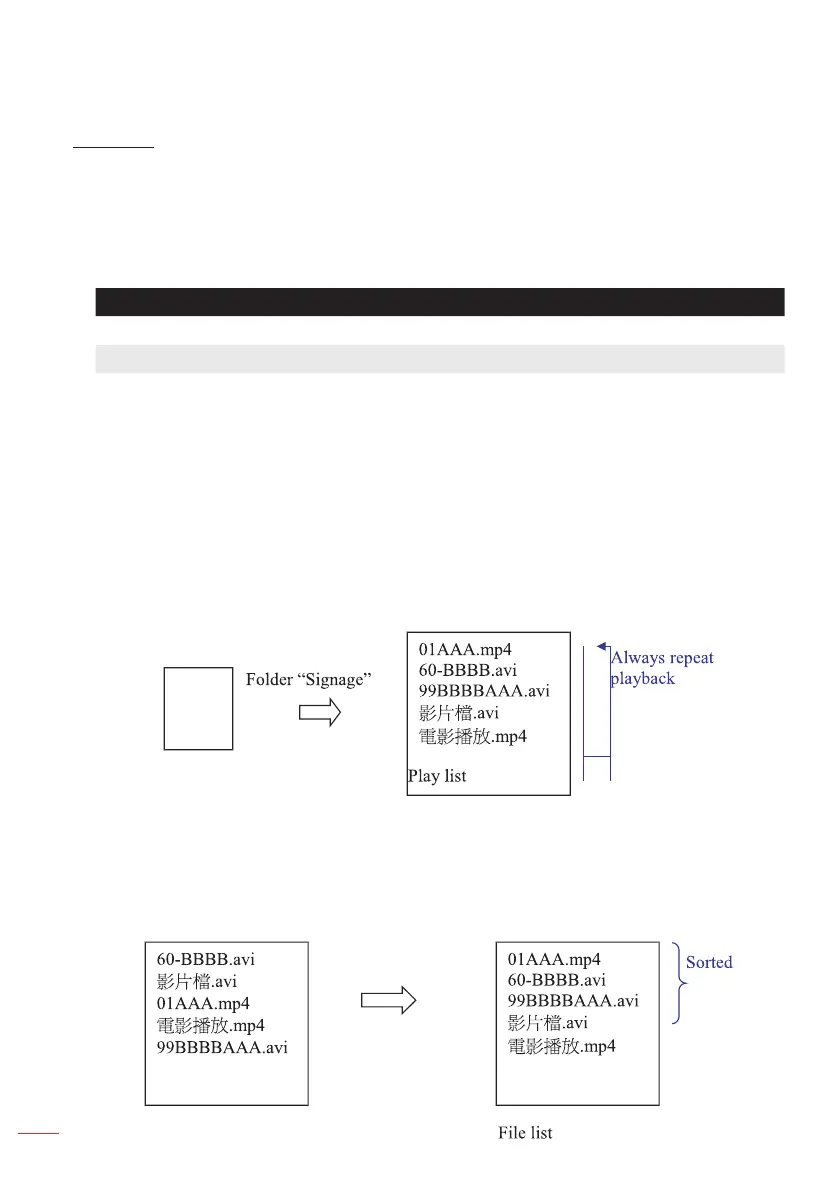
In the microSD card “Signage” folder, play the les repeatedly in the order in which
they are currently sorted. The system will ignore any sub-folder in “Signage” folder.
microSD
card
4. The order of le list
The play list collects all video les in the microSD card “Signage” folder. (The play list
does not real le in storage. It is program in code)
If the rst 2 characters of lename are 00~99, the program will sort these les (sort
from small number to big number) and put them into head of le list. For example,



 To Next Page