17
English
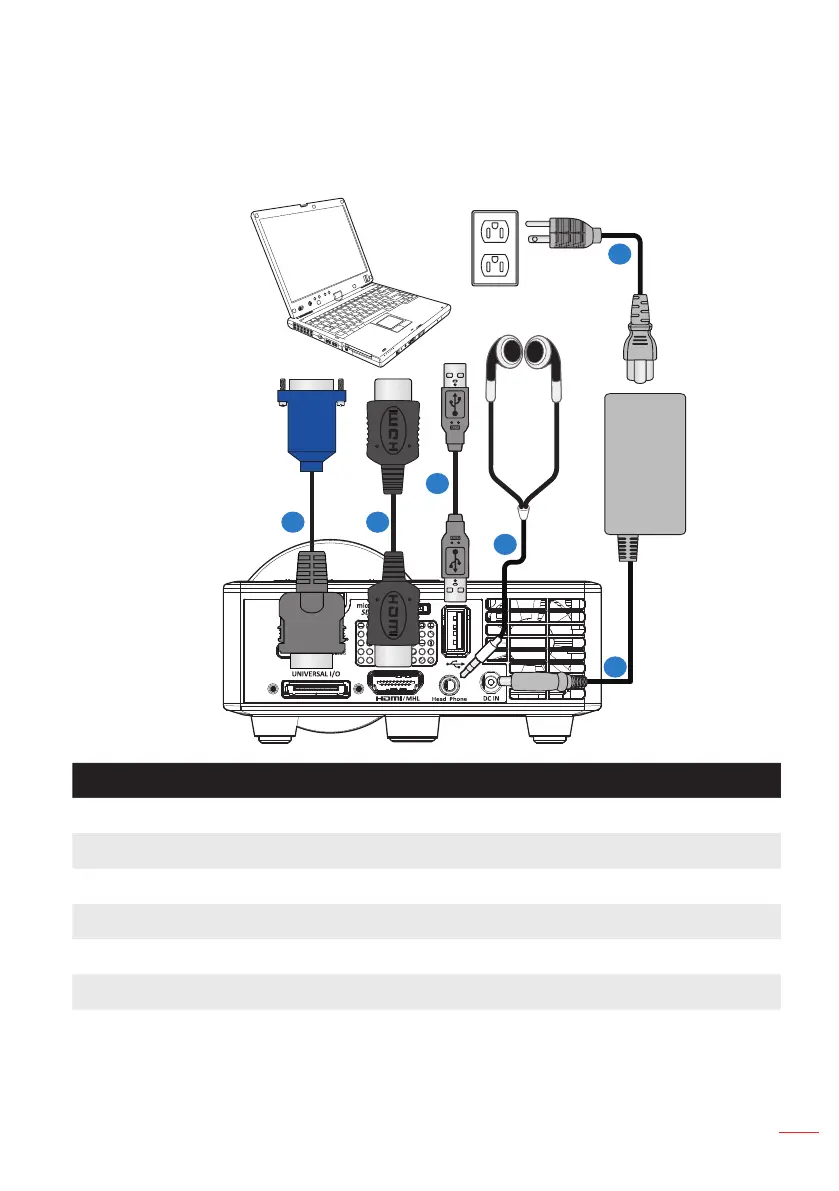
Connecting to a Computer
Installation
# Description
1 Power cord
2 AC adapter
3 Audio cable (*
1
)
4 USB-A to USB-A cable (*
2
)
5 HDMI cable (*
2
)
6 Universal 24-pin to VGA cable
Note:
- (*
1
)The projector supports only TRS-type audio cables (without microphone function); with
some headsets, due to the impedance difference, you might notice a slight difference in the
volume levels (lower volume).
- (*
2
)The accessory is not shipped with your projector.
1
3
4
56
2



 To Next Page