29
English
Advanced
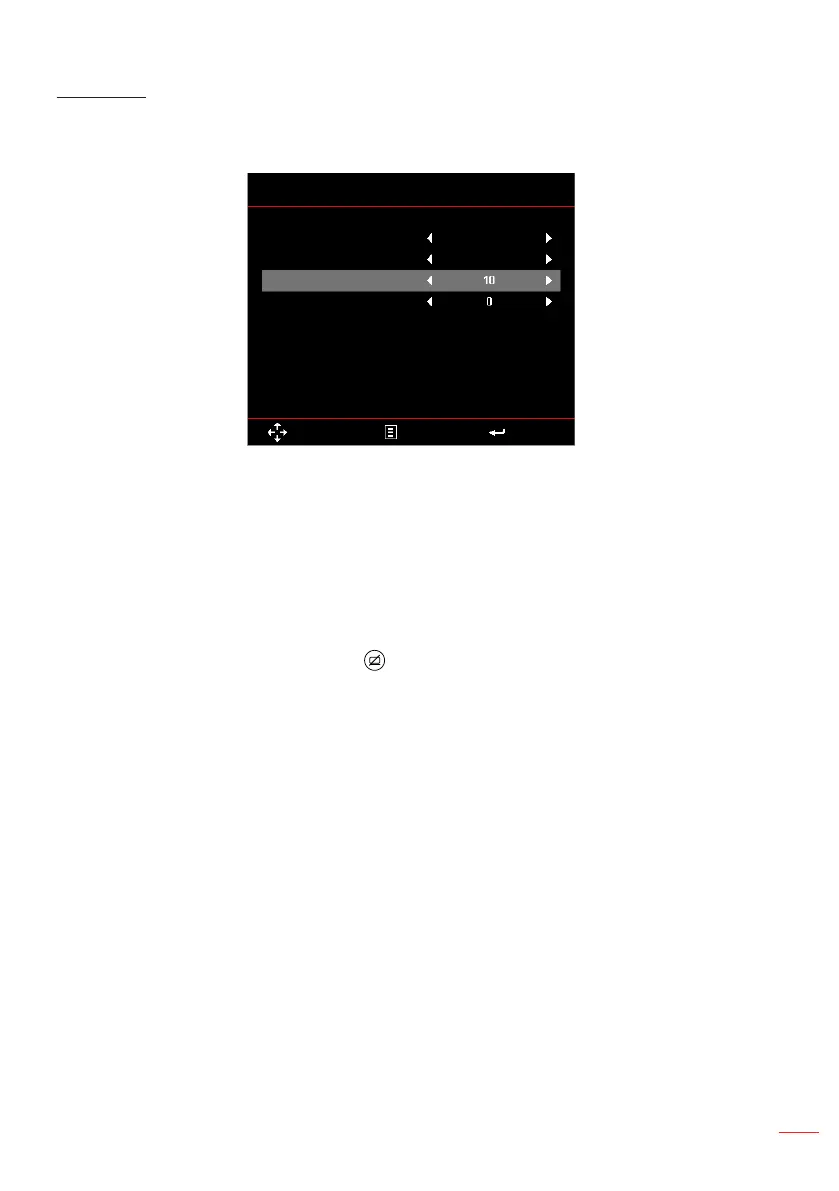
The Advanced menu allows you to change settings for iDevice, Mute, Saturation, and
Hue.
Advanced
AV Mute
Mute
Saturation
Hue
Select Exit Enter
Off
iDevice
iDevice:
Select
On
to display the best color reproduction when projecting images
from iDevice (iPhone/ iPad/ iPod) through Lightning HDMI adapter.
Note: If you want to project images from iDevice, connect the device to the projector through
the Lightning HDMI adapter, set input source to HDMI, enable iDevice option (Main >
Setup > Advanced), and set iDevice as display mode (Main > Display Mode).
Mute: Select the Mute mode. Options are: AV Mute (mute both audio and video),
Audio (mute audio only), and Video (mute video only).
Note: The function of the Mute button ( ) on the remote control depends on the selected
“Mute” option in the OSD menu.
Saturation: Adjust the saturation of the image.
Note: Saturation can be only adjusted in HDMI mode with supported video timings 1080p/i,
720p, and 480p/i.
Hue: Adjust the hue of the image.
Note: Hue can be only adjusted in HDMI mode with supported video timings 1080p/i, 720p, and
480p/i.



 To Next Page