PK201
Condential
4-5
3. Color performance
Procedure - Test equipment: video generator
- Test signal: Analog 800X600@60HZ
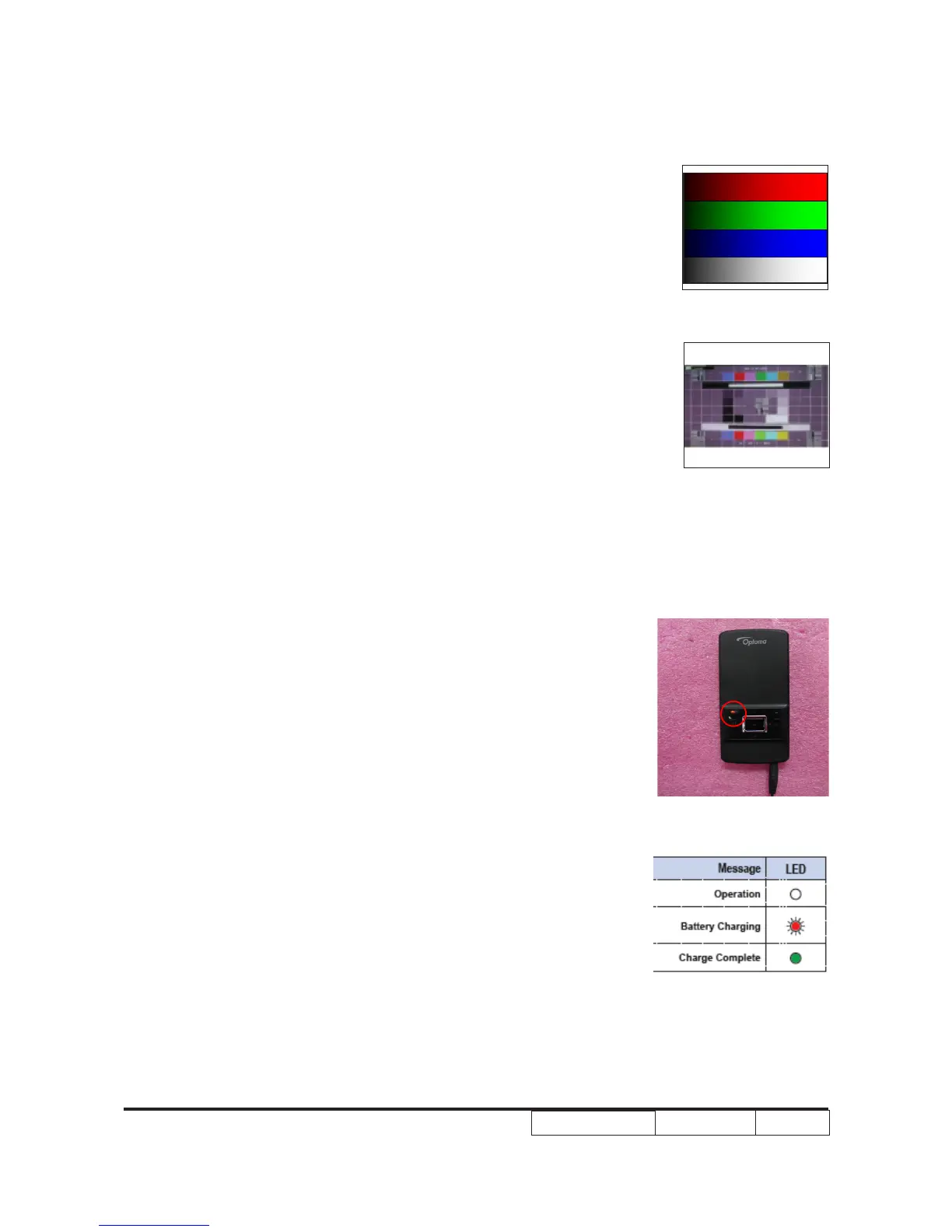
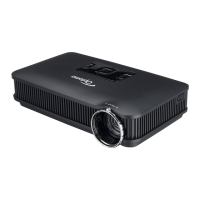
- Test Pattern: 64 gray RGBW, Master pattern
* Please refer to 4-2 to get into service mode.
Use test signal to do the test. Color can not
discolor to purple and blue.
Inspection item - Check if each color level is well-functioned.
- Color saturations
Criteria - Screen appears normal. It should not have any
abnormal condition, such as lines appear on the
screen and so on.
- Color appears normal.
- RGBW should all appear normal on the screen
and sort from R-G-B-W.
- Color levels should be sufcient and normal.
4. Power Founction Test
Procedure - Install the battery into the projector, link ‘‘dc in’’
port of the projector to the power supply.
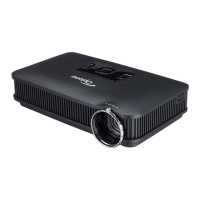
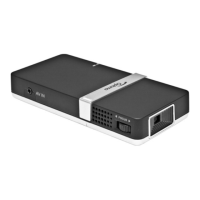
Inspection item - Check whether the LED indicator
shows red and charge or discharge normally.
Criteria - check whether the charging function is normal.
- It means the charging have completed when the
green LED is lighting.
- Unplug the power adapter, turn on the projector
to check if the discharging is normal.
64 gray RGBW
Master pattern


 To Next Page