PK201 Condential 2-3
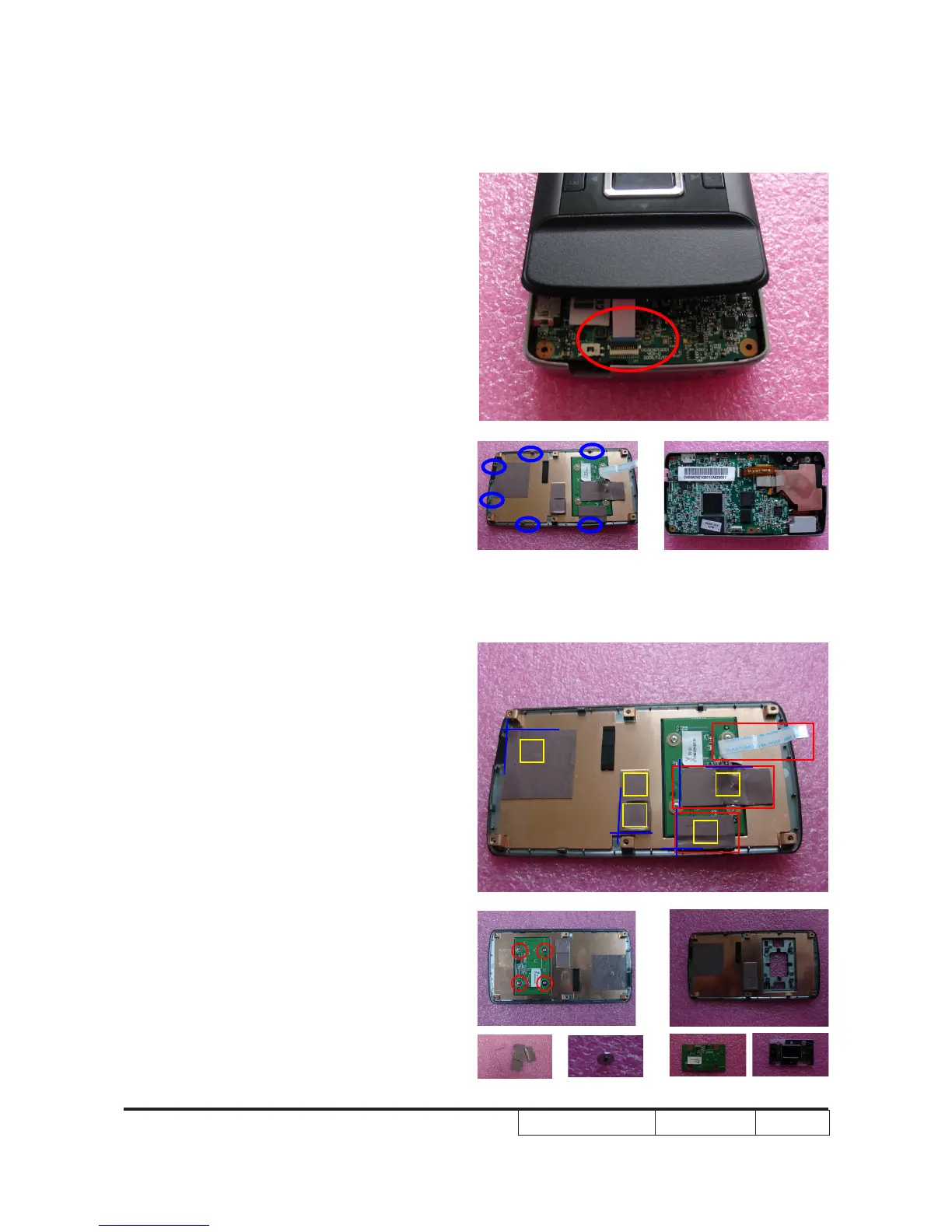
2. Unplug the keypad cable which connects
to the main board.(as red circle)
Note: - There are 6 tenons (as blue circle)
of the top cover,when disassembling
it, you must be carefull so as not to
damage the top cover.
2-4 Disassemble KeyPad
Module
1. Unplug the keypad cable which connects
to the keypad board and tear off
two thermal pads.(as red square)
2. Unscrew 4 screws.(as red circle)
3. Take out the keypad board and the
key button.
Note: - To distinguish the four thermal
pads,here list the PN of them.
(1) 52.8EN09G001
(2) 52.8EN07G001
(3) 52.8EN06G001
(4) 52.8EN05G001
(5) 52.8EN08G001
- When
paste the thermal pads,please
refer to the bule lines.
(1)
(3)
(2)
(4)
(5)


 To Next Page