PK201
Condential
6-3
6-4 EDID Key-In Procedure
(VGA & HDMI Interface)
1. Click on "EDID" to execute EDID program.EDID program. program.program.
2. Choose model
(1) In the port selection bar, please choose
the port which you are using.
(2) Click "Model''.
6-3 Setup Procedure
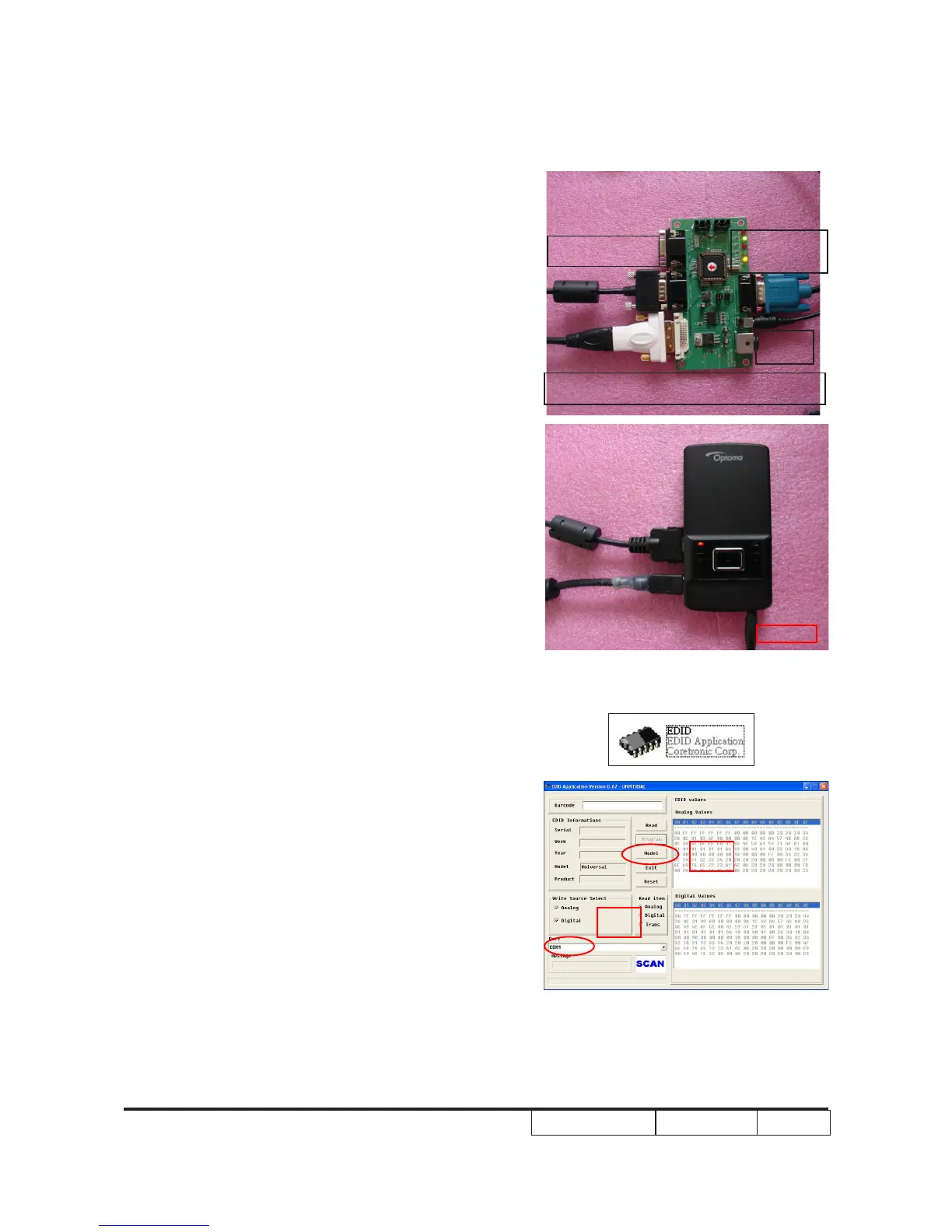
1. Connect all ports
- Power adapter 2 to xture JP1.
- Fixture P1 to PC COM1 Port.
- Fixture P2 to Projector ''Universal I/O'' port
by VGA to IO cable.
- Fixture P3 to Projector "Mini HDMI" port by
DVI-HDMI adapter and HDMI cable
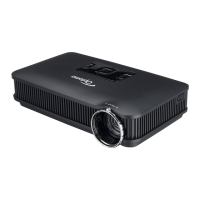
- Connect the power adapter 1 to projector
“dc in 5v” port.
(1)
(2)
P2
VGA to IO CABLE
P3
DVI-HDMI adapter and HDMI cable
P1
RS232 Cable
JP1
adapter
dc in 5V


 To Next Page