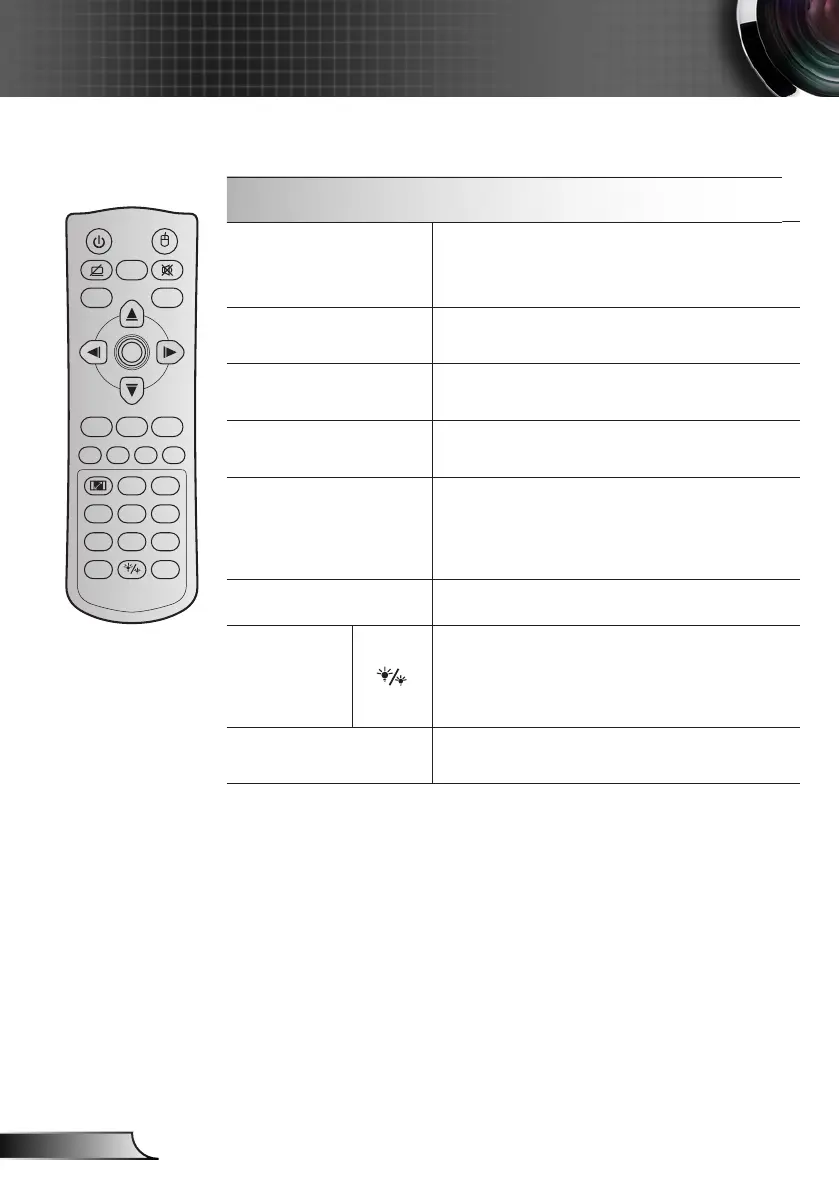
3D / 3
Press to manually select a 3D mode that `
matches your 3D content.
Use as numberic keypad number “3”. `
HDMI / 4
Press to choose HDMI source. `
Use as numberic keypad number “4”. `
VGA / 5
Press to choose VGA source. `
Use as numberic keypad number “5”. `
Video / 6
Press to choose composite video source. `
Use as numberic keypad number “6”. `
User1 / 7; User2 / 8;
User3 / 9
User dened keys. ` Please see page 56 to
setup.
Use as numberic keypad numbers “7”, “8”, `
and “9” accordingly.
Source
Press to select an input signal.
Brightness
mode / 0
Press to automatically adjust the picture `
brightness to give an optimum contrast
performance.
Use as numeric keypad number “0”. `
Re-sync
Press to automatically synchronize the
projector to the input source.
Freeze
Power Switch
L
R
Keystone Volume
Page
-
-
+
-
+
1 2
Menu
3
3D
4
HDMI
5
VGA
6
Video
7
User1
8
User2
9
User3
Source
0
Resync
Page+Laser
Enter
Using the Remote Control



 To Next Page