OPTIONS |
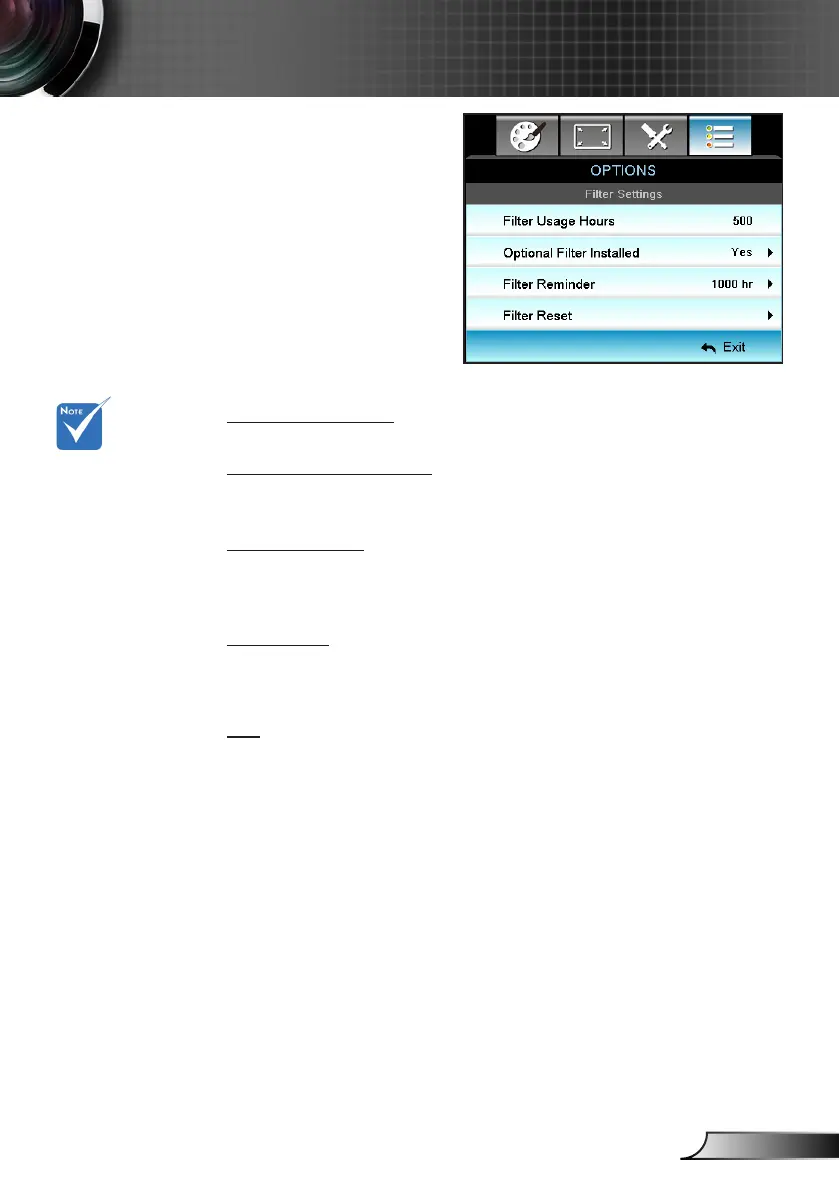
Optional Filter
Settings
Filter Usage Hours
Display the lter time.
Optional Filter Installed
Yes: Display warning message after 500 hours of use. `
No: Turn off warning message. `
Filter Reminder
Choose this function to show or hide the warning message when
the changing lter message is displayed. (Factory default setting:
500 hours)
Filter Reset
Reset the dust lter counter after replacing or cleaning the dust
ler.
Exit
Choose “Exit” to exit the menu.
“Filter Usage
Hours / Filter
Reminder / Filter
Reset” will only
appear when
“Optional Filter In-
stalled” is “Yes”.



 To Next Page