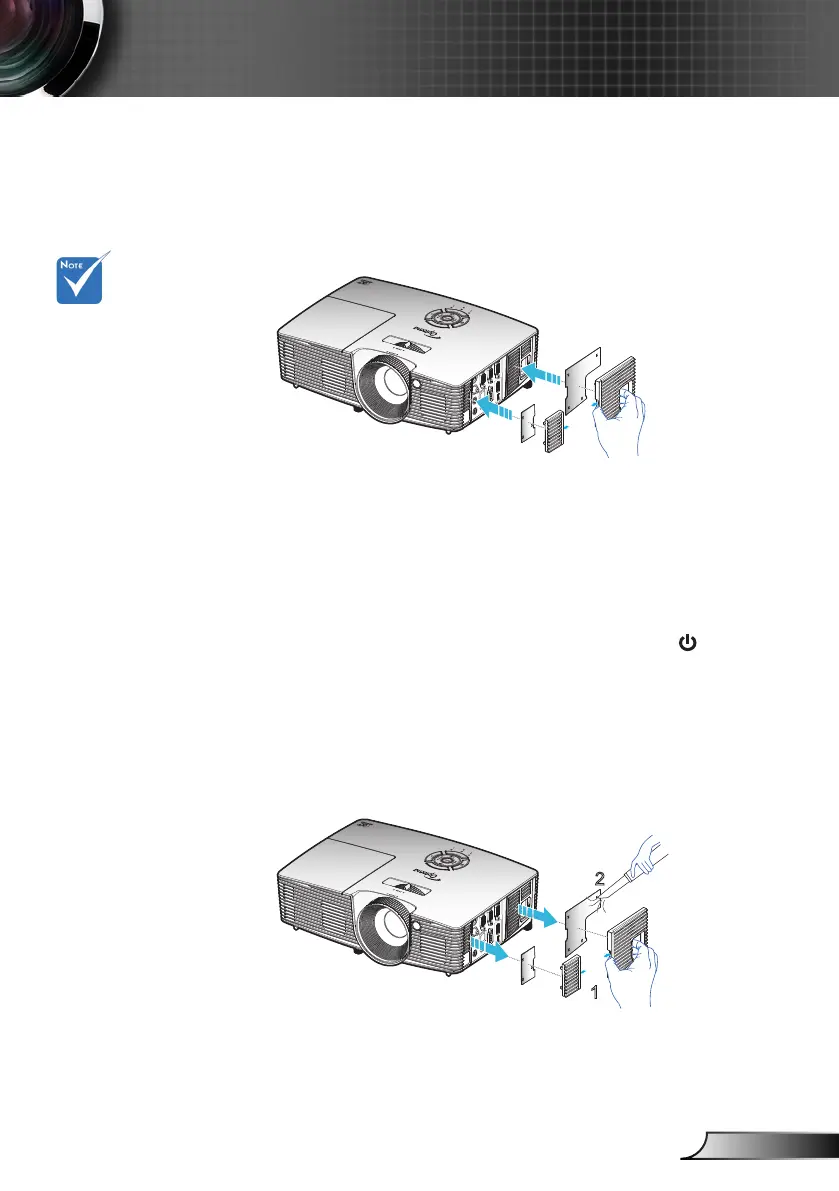
Installing and Cleaning the Dust
Filter
Dust lters are
only required/sup-
plied in selected
regions with
excessive dust.
Cleaning the Dust Filter
We recommends cleaning the dust lter every three
months; clean it more often if the projector is used in a
dusty environment.
Procedure:
Switch off the power to the projector by pressing 1. the “ ” button on
the remote control or on the Keypad of the projector.
Disconnect the power cord.2.
Remove the dust lter slowly and carefully.3.
Clean or replace the dust lter.4.
To install the dust lter, reverse the previous steps.5.
Installing the Dust Filter



 To Next Page