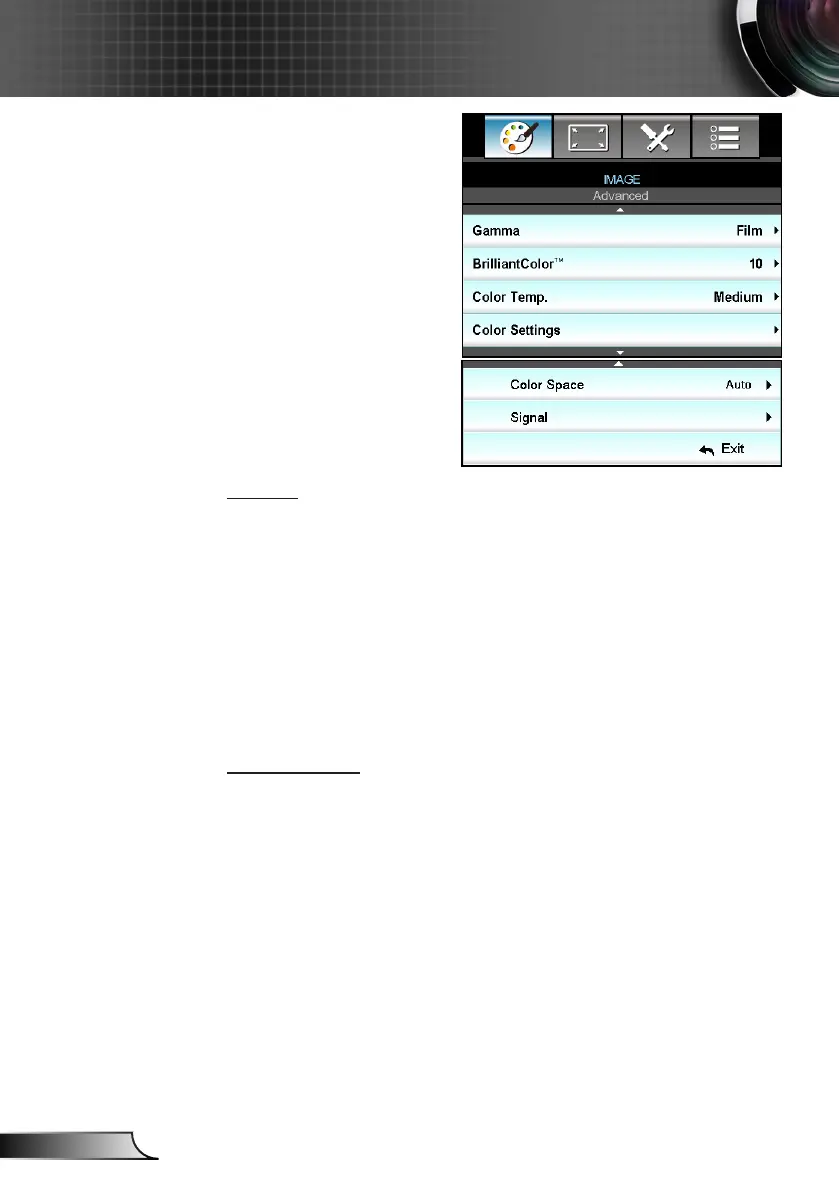
IMAGE | Advanced
Gamma
This allows you to set up gamma curve type. After the initial setup
and ne tuning is completed, utilize the Gamma Adjustment steps
to optimize your image output.
Film: for home theater. `
Video: for video or TV source. `
Graphics: for PC / Photo source. `
Standard: for standardized setting. `
Blackboard: This mode should be selected to achieve optimum `
color settings when projecting onto a blackboard (green).
DICOM SIM.: This mode can project a monochrome medical `
image such as an X ray radiography, MRI, etc.
BrilliantColor™
This adjustable item utilizes a new color-processing algorithm and
enhancements to enable higher brightness while providing true,
more vibrant colors in picture. The range is from “1” to “10”. If you
prefer a stronger enhanced image, adjust toward the maximum
setting. For a smoother, more natural image, adjust toward the
minimum setting.



 To Next Page