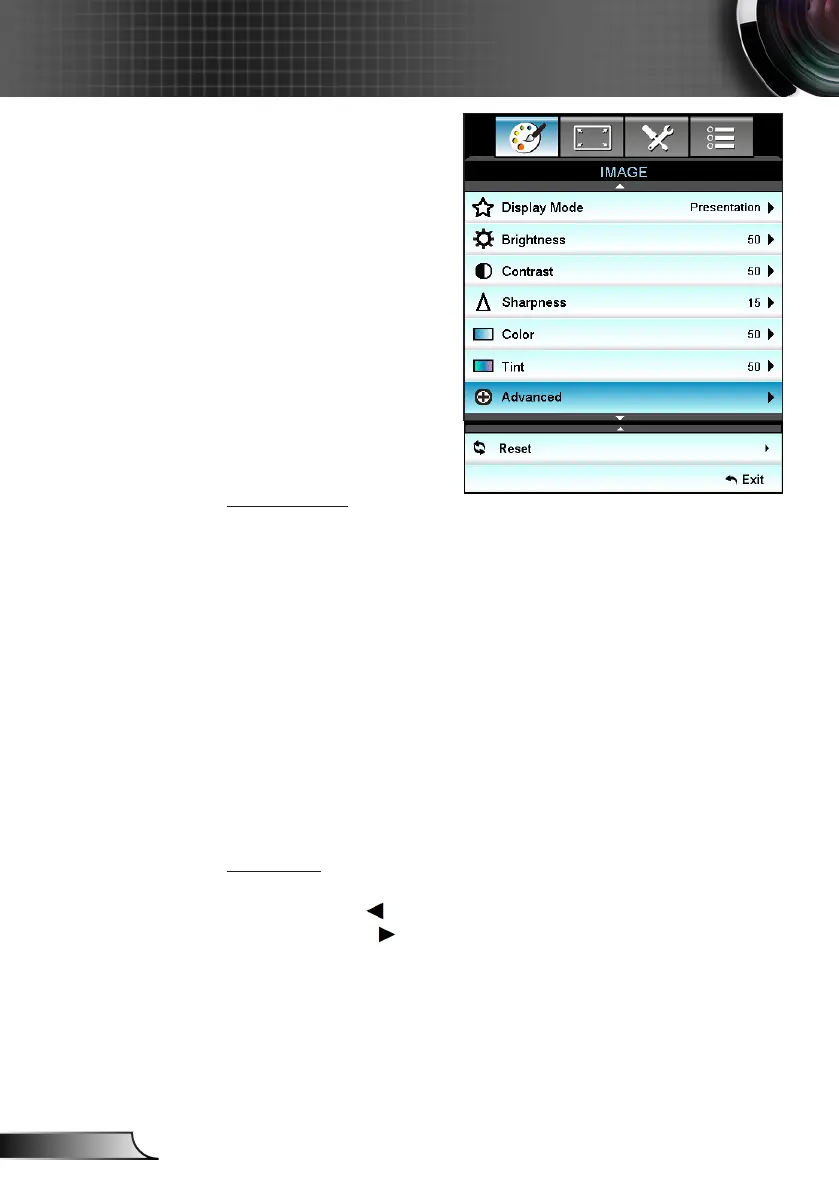
IMAGE
Display Mode
There are many factory presets optimized for various types of
images.
Presentation: This mode is suitable for showing in front of public `
in connection to the PC.
Bright: Maximum brightness from PC input. `
Movie: This mode is suitable for watching video. `
sRGB: Standardized accurate color. `
Blackboard: This mode should be selected to achieve optimum `
color settings when projecting onto a blackboard (green).
DICOM SIM.: This mode can project a monochrome medical `
image such as an X ray radiography, MRI, etc.
User: Memorize user’s settings. `
3D: To experience the 3D effect, you need to have 3D glasses, `
make sure your PC/portable device has a 120 Hz signal output
quad buffered graphics card and have a 3D Player installed.
Brightness
Adjust the brightness of the image.
Press the ` to darken image.
Press the► ` to lighten the image.



 To Next Page