SETUP |
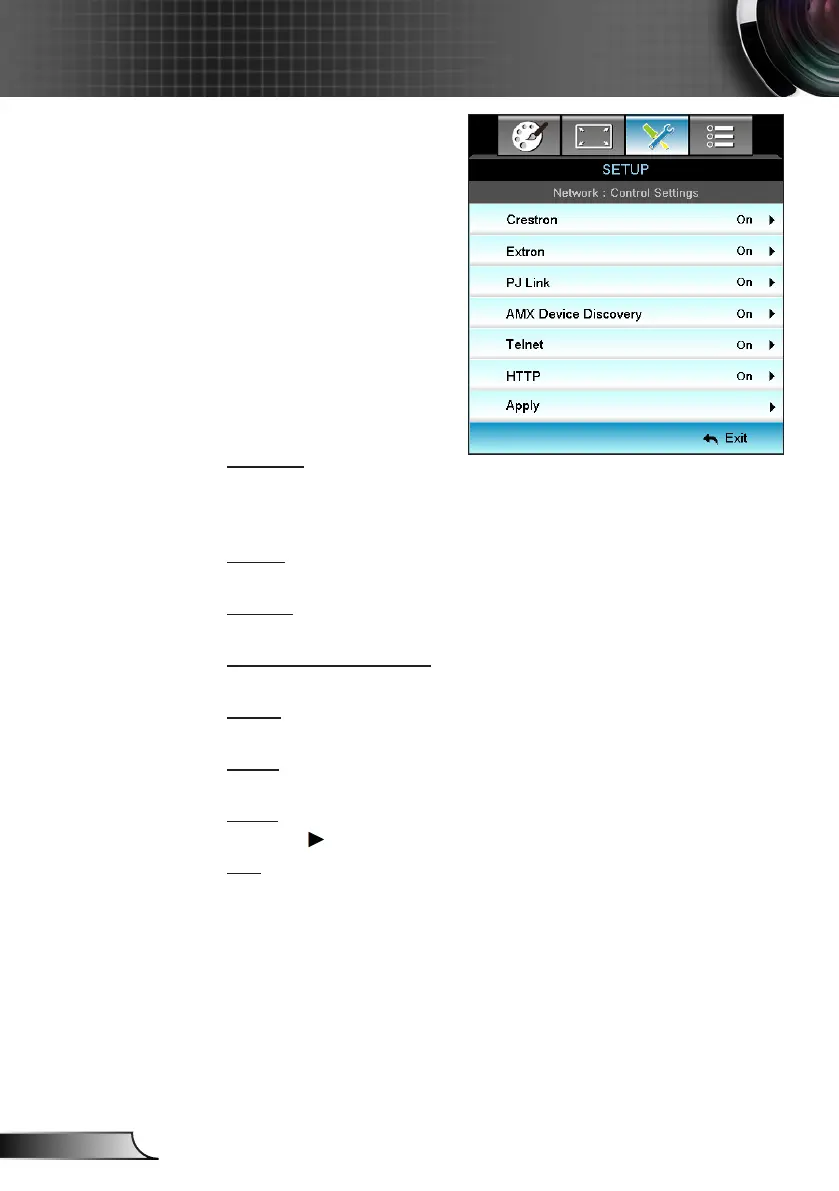
Network|Control
Settings
Crestron
Use this function to select the network function (port: 41794). For
more information, please visit http://www.crestron.com and
www.crestron.com/getroomview.
Extron
Use this function to select the network function (port: 2023).
PJ Link
Use this function to select the network function (port: 4352).
AMX Device Discovery
Use this function to select the network function (port: 1023).
Telnet
Use this function to select the network function (port: 23).
HTTP
Use this function to select the network function (port: 80).
Apply
Press and then choose “Yes” to apply the selection.
Exit
Choose “Exit” to exit the menu.



 To Next Page