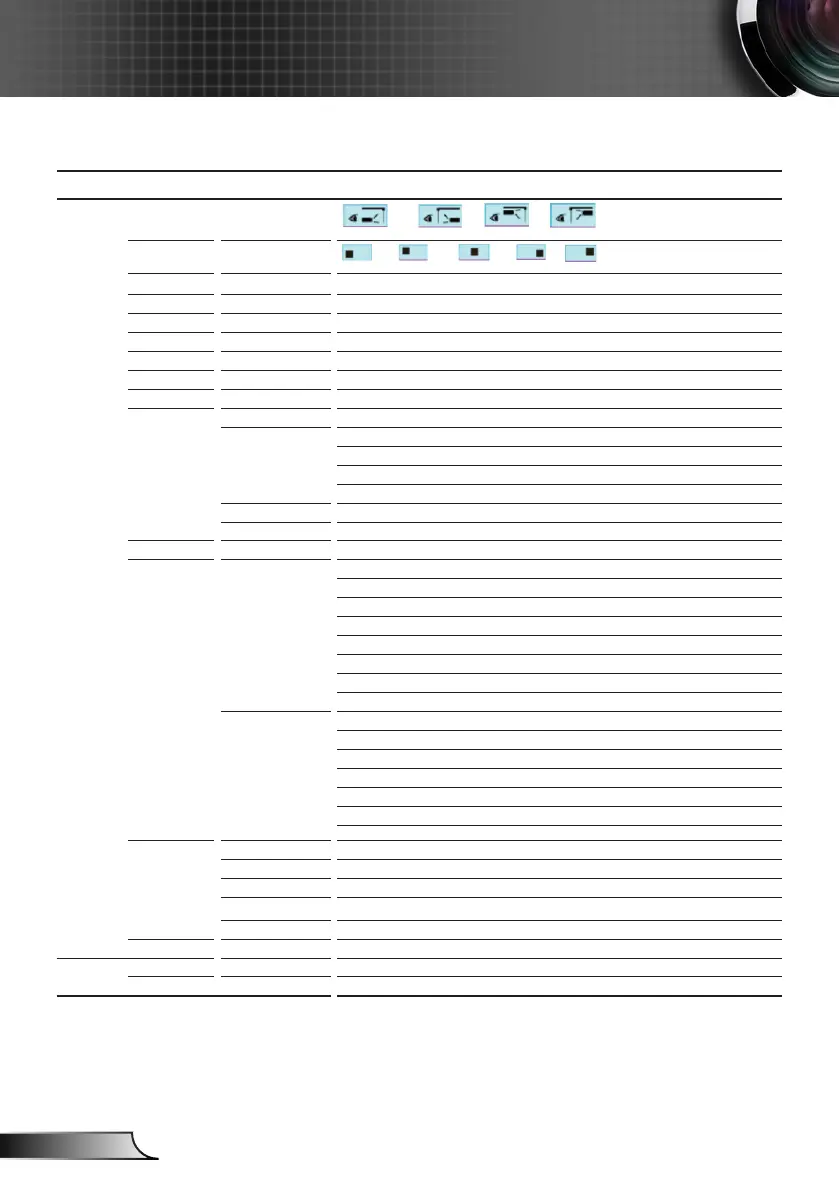
Main Menu Sub Menu Settings
Projection
Menu Location
Screen Type 16:10 / 16:9 (WXGA)
Audio Settings Internal Speaker On / Off
Mute On / Off
Volume Audio (0~10)
Audio Input Default / Audio 1 / Audio 2
Audio Out (Standby) On / Off
Exit
Security Security On / Off
Security Timer Month (0~12 / )
Day (0~30 / )
Hour (0~24 / )
Exit
Change Password
Exit
Projector ID 00~99
Network LAN Settings Network Status Connected / Disconnected (Read-Only)
DHCP On / Off
IP Address
Subnet Mask
Gateway
DNS
MAC Address Read-Only
Exit
Control Settings Crestron On / Off (port:41794)
Extron On / Off (port: 2023)
PJ Link On / Off (port: 4352)
AMX Device Discovery On / Off (port: 1023)
Telnet On / Off (port: 23)
HTTP On / Off (port: 80)
Apply Yes / No
Advanced Logo Default / Neutral
Logo Capture
Closed Captioning Off / CC1 / CC2
Wireless On / Off
Exit
Exit
OPTIONS
Input Source VGA1 / VGA2 / Video / HDMI
Source Lock On / Off



 To Next Page