14
Wi-Fi
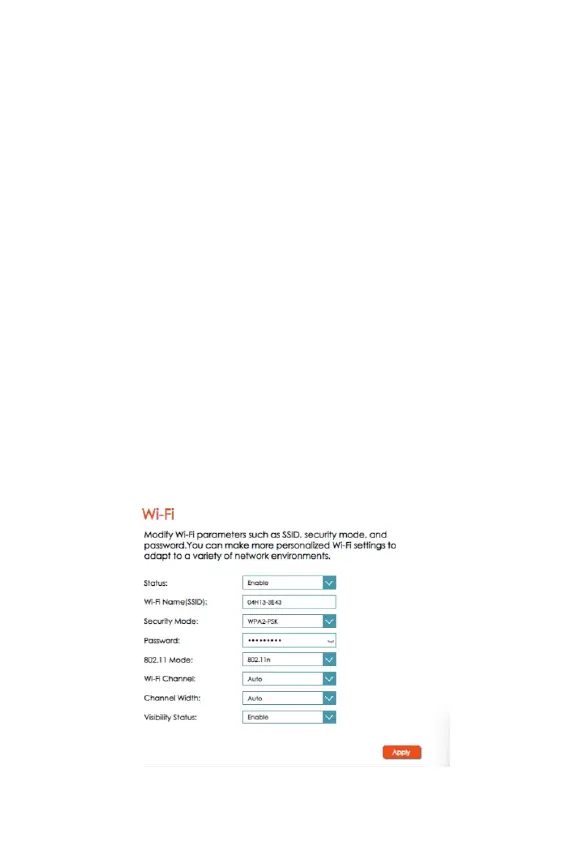
• From the Home screen, select Settings > Wireless > WLAN
Settings.
• You can do the following in this section:
• Enable/disable a band and its network.
• Change the SSID.
• Set the required Security Mode.
• Change the Wi-Fi password.
• For the individual bands, you can set the 802.11 Mode,
the Wi-Fi Channel, the Channel Width, and the Maxi-
mum Number of Clients.
• If you are unsure of the Wi-Fi channel and Channel
Width, set it as Auto.
• Set the required Visibility Status.
• Click Apply for the settings to take effect.



 To Next Page