7
Installing the SIM Card
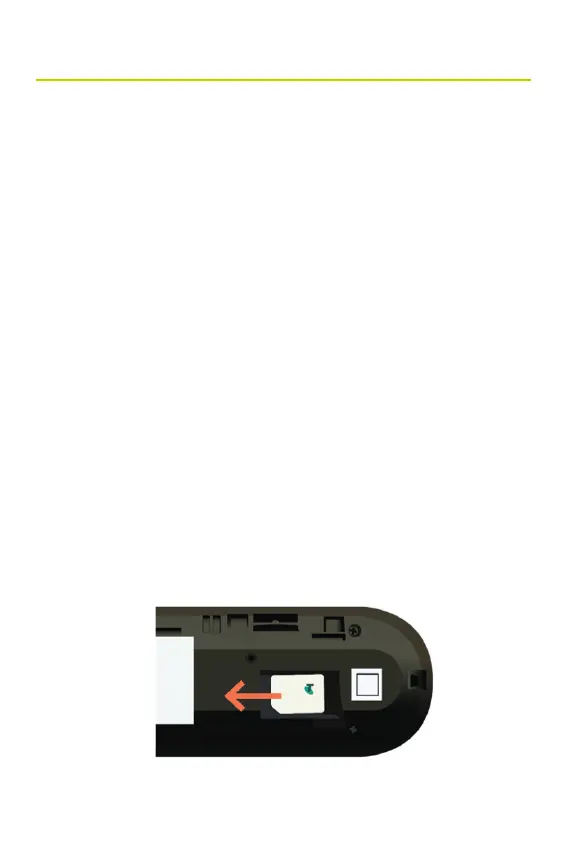
To insert the SIM Card
1. Disconnect the USB from your PC.
2. Slide the back cover to open the device.
3. Gently insert your SIM card in the slot with the gold contacts
facing down, and click it into place.
4. Attach the back cover and cap the USB stick so the arrows
align.
Note:
• To remove your SIM card, push it further into the slot until it
springs out.
• Do not remove or insert the SIM card if the USB stick is
connected to your PC. This action can damage both, the
card and the device.
• Do not bend or scratch your SIM card.
• Avoid exposing your SIM card to static electricity, water, or
dirt.
Setting up your Device



 To Next Page