22
Management
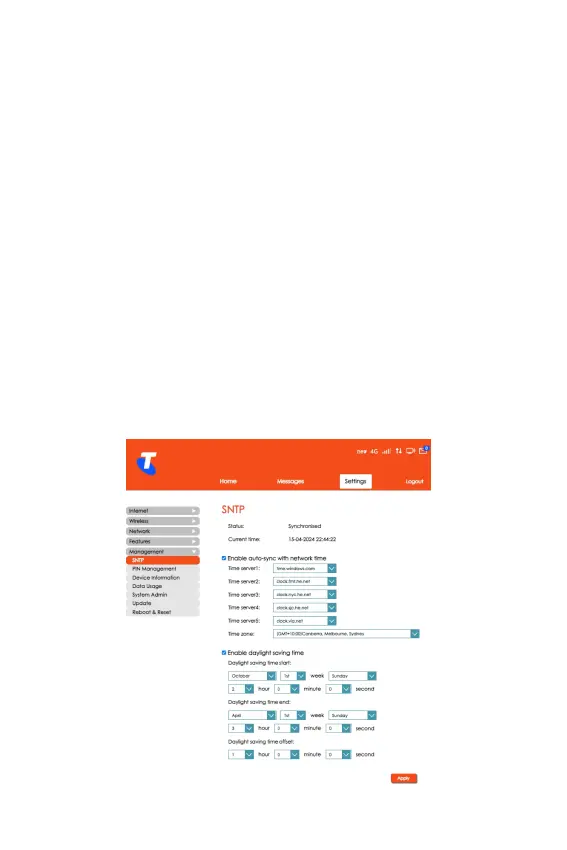
SNTP (Simple Network Time Protocol)
• From the Home screen, select Settings > Management >
SNTP.
• This screen allows you to enable auto-sync with network
time which allows you to select multiple time servers and
the time zone.
• It also allows you to enable daylight saving time with options
to select the following:
• Daylight saving time start
• Daylight saving time end
• Daylight saving time offset
• Click Apply for the settings to take effect.



 To Next Page