15
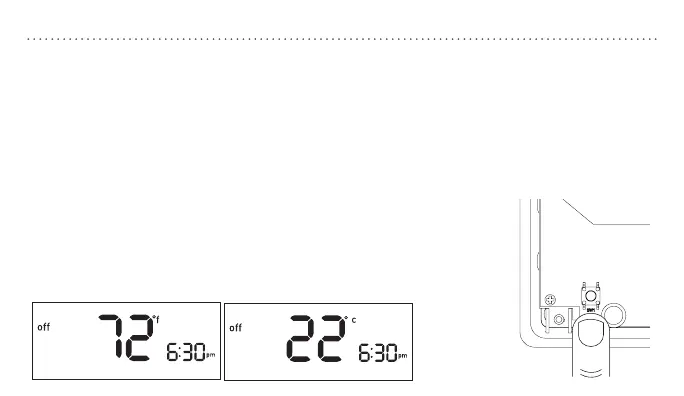
RESETBUTTONTEMPERATUREFORMAT
Switching Between
Fahrenheit (°F) and Celsius (°C)
1. Slide the MODE switch to the
off position.
2. While holding p press SET.
3. Release both buons.
4. Repeat steps 2 and 3 to toggle
between °F and °C.
RESET
THERMOSTATFIGMINIMUMOFFTIMEMU
Off
Arrow down
Arrow up
To access the RESET buon, remove the
thermostat body from its base by gently
pulling them apart.
• Press and hold for five seconds to reset all
system seings and temperature gauges back to
factory defaults.
Note: Be careful not to
touch the black surface
on which the reset button
is mounted, and do not
clean it if dusty.


 To Next Page