25
From the days of the week menu you can
copy a schedule from a single day to one or
more days. To access that menu, if you are not
already there, switch the thermostat to the
MODE you want to program (heat or cool)
and press SET.
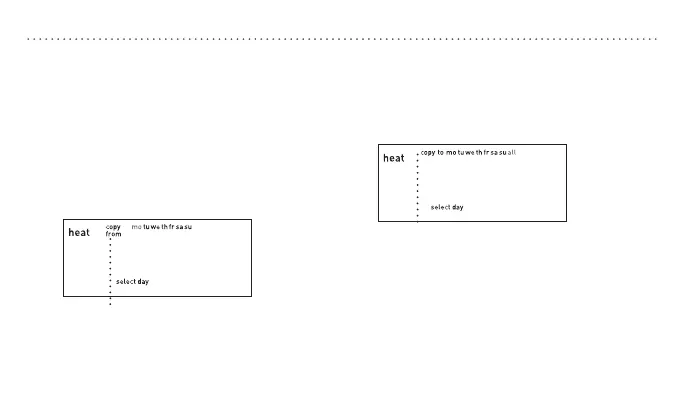
1. Press p or q to scroll to copy and press
SET when the word “copy” is flashing.
“Copy from” will appear on the display.
USINGTHECOPYFEATURE
2. Press p or q to select the day you would
like to copy and press SET when that day
is flashing.
3. Press p or q to select the day you
would like to copy to. You can select an
individual day or select all to have your
schedule copied to every day of the
week.
4. Press SET to advance to the next step or
RUN to save and exit.
“Copy to” will appear on the display.



 To Next Page