21
SELECTMODEANDFANSETTINGS
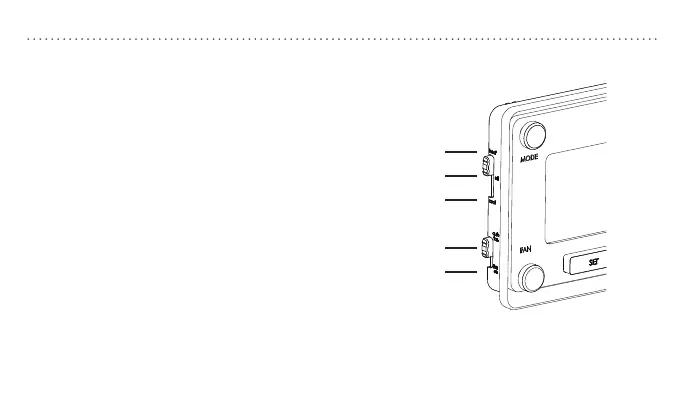
Slide the mode switch to whether you
want to heat or cool to achieve the set
temperature.
• heat—System will activate heating to reach the
set temperature.
• off—Systems are off.
• cool—System will activate cooling to reach the
set temperature.
Slide the fan switch to the appropriate
seing to operate fan.
• auto fan—Fan will run automatically when
heating or cooling is activated.
• fan on—Fan will run continuously.
Note: Auto fan is the most commonly used seing.
heat
off
cool
auto fan
fan on


 To Next Page