26
08.03/WE
ORGAPACK OR-H 20 A
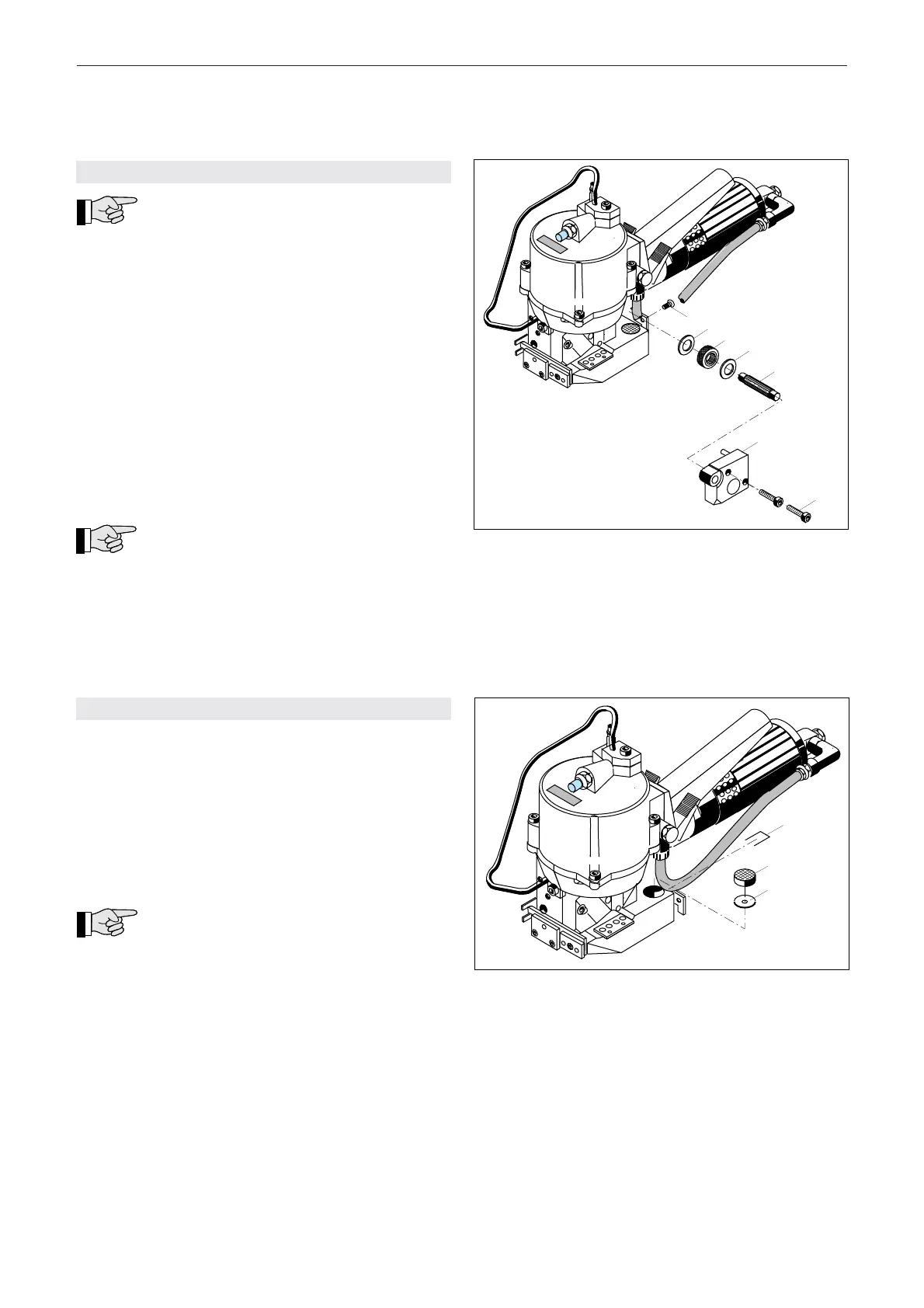
7.4 REPLACING TENSION WHEEL
If the tension wheel spins before the required
strap tension is reached, the tension wheel
must be replaced (precondition: clearence set correctly,
see chapter 7.2).
Remove
– Disconnect tool from air supply.
– Remove counter sunk screw (13/1).
– Remove two cylinder screws (13/3).
– Remove bearing plate (13/2).
– Raise motor and remove tensioning wheel (13/6) with
tension shaft (13/4).
– Remove tensioning wheel with counter washers
(13/5) and (13/7) from the tension shaft.
– Replace tensioning wheel.
Install
– Install the parts in reverse order.
Lubricate internal teeth of tensioning wheel
(13/6) lightly with Klüber grease GBU Y 131
(Microlube).The chamfer on the tensioning wheel
should point in direction of the housing.
– After assembly, adjust clearance between
tensioning wheel and toothed plate (see chapter
7.2).
Fig. 13
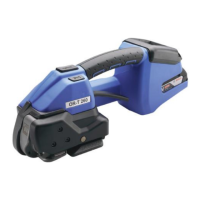
Fig. 14
7.5 REPLACING THE TOOTHED PLATE
– Disconnect tool from air supply.
– Remove tensioning wheel (see chapter 7.4).
– Remove safety wire (14/1).
– Push out toothed plate (14/2) and shim plate (14/3)
from below. Replace toothed plate.
– Clean the hole in the base plate.
Install
– Install the parts in reverse order.
Place shim plate (14/3) with radiused side
on top. Mount new safety wire (14/1).
– After assembly, adjust clearance between
tensioning wheel and toothed plate (see chapter
7.2).


 To Next Page