45
To add or edit users:
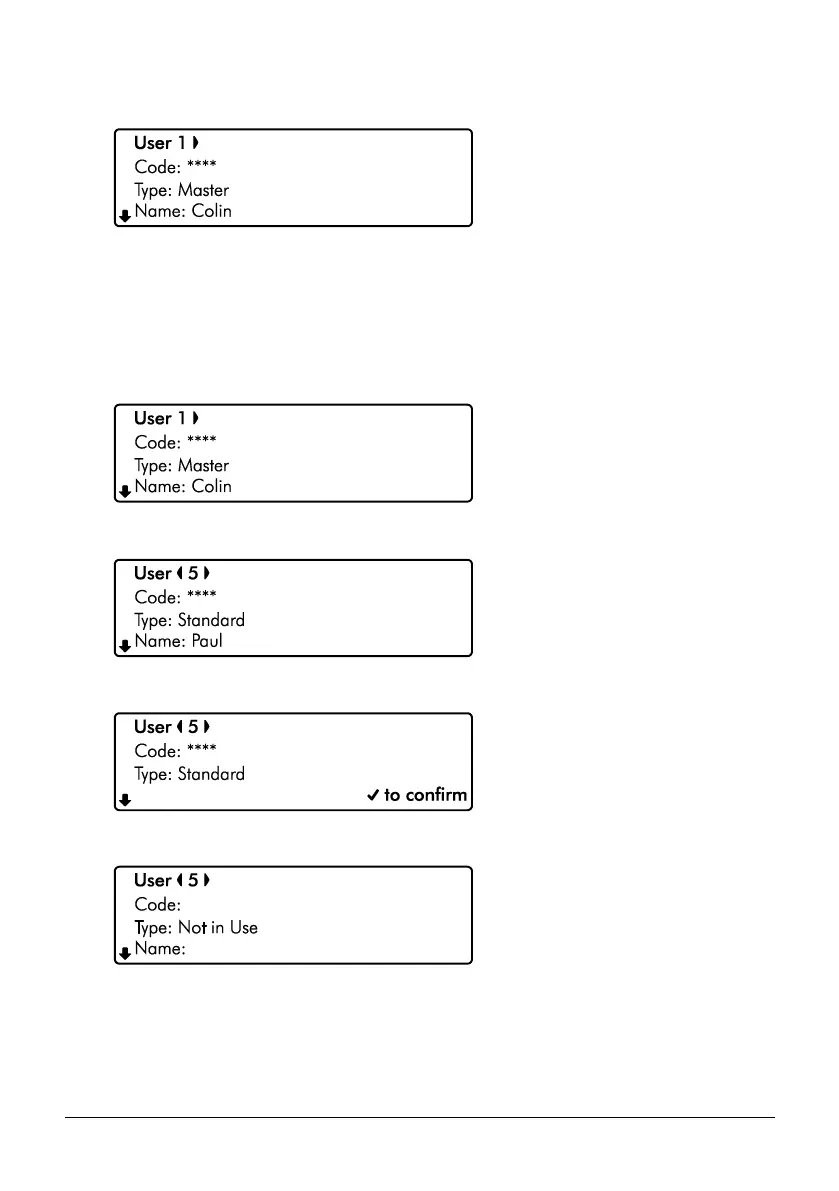
1. Ensure that the ‘Add/Delete user’ menu is selected, see page 39:
2. Use the U/ u and D/ p keys to select the required function. Then use the
L/ o and R/ r keys to change the selected option.
3. Hold the B / o or @ key for 2 seconds to exit the menu.
To delete users:
1. Ensure that the ‘Add/Delete user’ menu is selected, see page 39:
2. Use the L/ o and R/ r keys to select the user to be deleted, e.g., User 5:
3. Press the a or G key to DELETE the selected user:
4. Press the E or k key to confirm:
5. Hold the B / o or @ key for 2 seconds to exit the menu.



 To Next Page