46
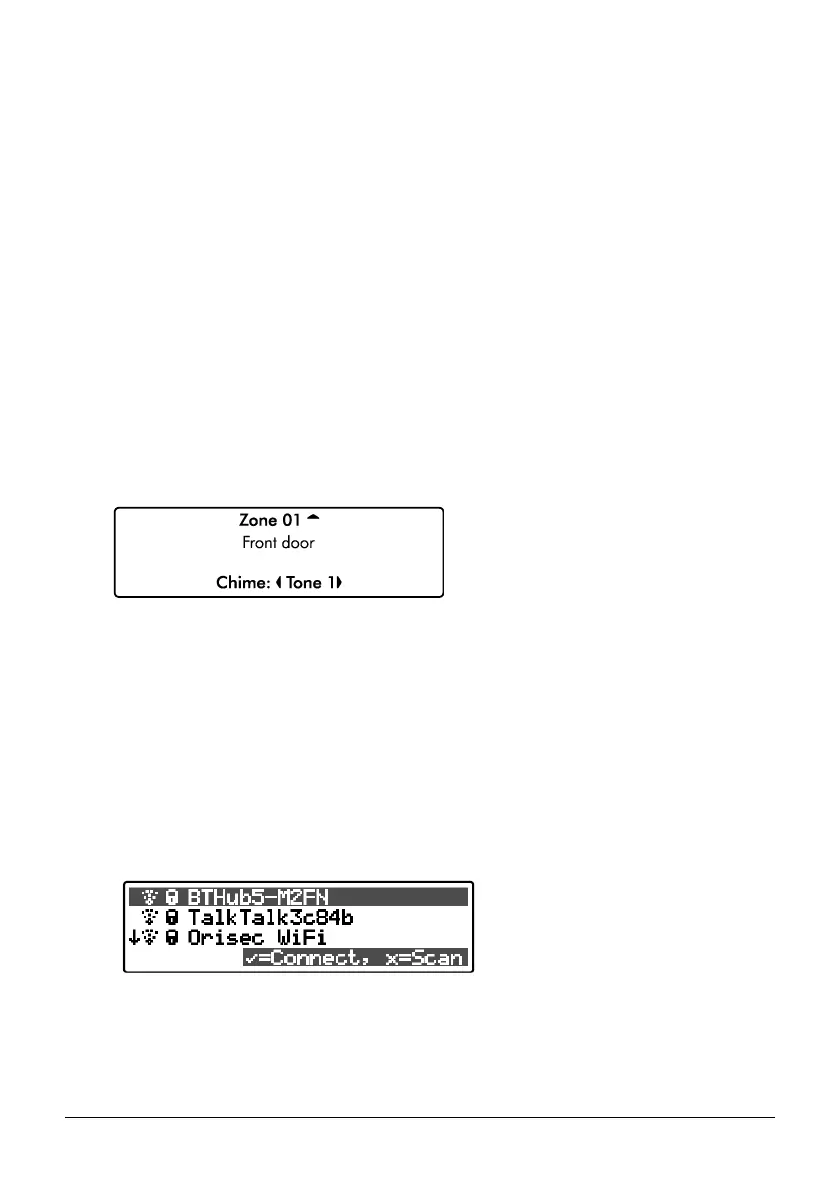
Alter chime zones
All monitored zones can be configured to give the following chime response:
Off
No response.
Tone 1
A single ‘de-da’ tone is generated.
Tone 2
A double ‘de-da-do’ tone is generated.
Tone 3
A triple descending musical tone is generated.
Voice
The zone is announced from the loudspeaker (if fitted), e.g., ‘Front Door’. Not available on
CK-10, CK-10, CT-10, CT-20.
1. Ensure that the ‘Alter chime zones’ menu is selected, see page 39:
2. Use the U/ u and D/ p keys to select the zone. Then use the L/ o
and R/ r keys to change the chime response.
3. Hold the B / o or @ key for 2 seconds to exit the menu.
Wi-Fi Status & Checks
This menu allows you to view all available Wi-Fi access points. Once selected, you may
connect or disconnector from the selected Wi-Fi access point.
1. Use the U and D keys to select the required Wi-Fi access point. Then press E or k to
connect/disconnect.
2. ‘The password for the SSID will need to be programmed in ‘Coms Modules” see page
below.



 To Next Page