2. GETTING STARTED
9
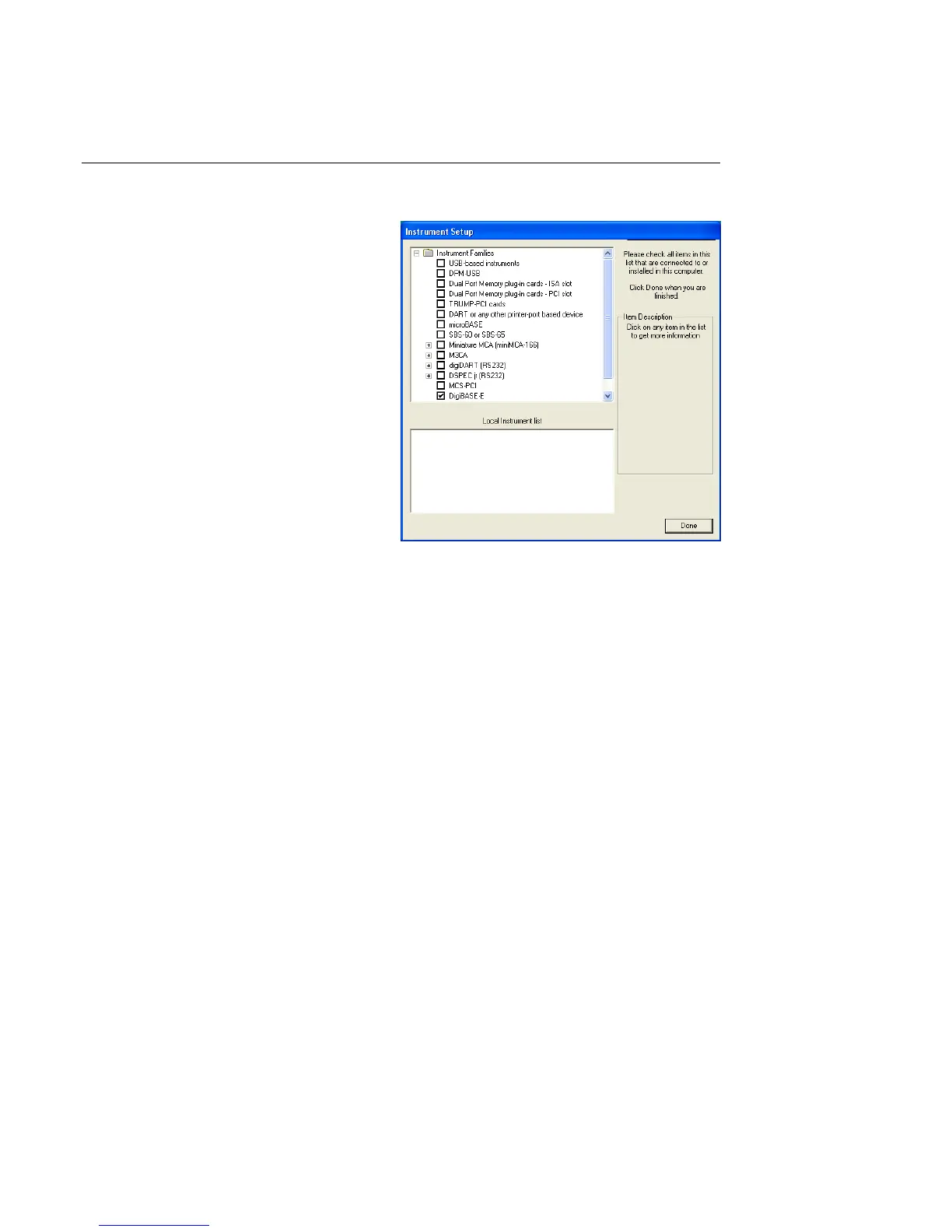
Figure 3. Choose ‘DigiBASE-E’.
2.3.1. Step 1: Install the CONNECTIONS Driver Update Kit
1. The C
ONNECTIONS Driver Update
Kit must be installed before
MAESTRO can be installed.
On the Instrument Families page,
be sure to mark the DigiBASE-E
checkbox, as shown in Fig. 3. Other-
wise the digiBASE-E will not be
able to communicate with the PC
and MAESTRO.
If you also have other types of MCBs
attached to this PC, refer to the instal-
lation instructions in the correspond-
ing hardware manuals or in the ORTEC
MCB C
ONNECTIONS Hardware Pro-
perty Dialogs Manual (p/n 931001, on
the install CD). Alternatively, you can
install the other device drivers later,
as described in the C
ONNECTIONS
Driver Update Kit instructions.
2.3.2. Steps 2 (Optional) and 3: Install Your Spectroscopy Applications
Next, install the ORTEC software applications on the PC that will control the digiBASE-E.
2. The digiBASE-E is supplied with MAESTRO. However, if you will also be installing
ScintiVision-32 for the first time on this PC (i.e., if it is not already installed), it is important
to install it before MAESTRO, according to the instructions in the ScintiVision-32 User’s
Manual.
3. Next, install the accompanying version of MAESTRO according to the instructions in its
User’s Manual.
2.3.3. Steps 4 through 7: Hardware Setup and Installation
4. The coarse gain for the digiBASE-E is set with a jumper on the analog board. The available
settings are 1×, 3×, and 9×; the factory default is 1×. If you wish to use a different setting,
see the instructions in Appendix A. Be sure to record the setting you use (you may wish to
label the digiBASE-E housing with the current coarse gain setting).
Now attach the detector to the digiBASE-E according to the detector data sheet.



 To Next Page