2. GETTING STARTED
4
If this is a first-time installation of ORTEC products, all your instruments will be “new.”
15
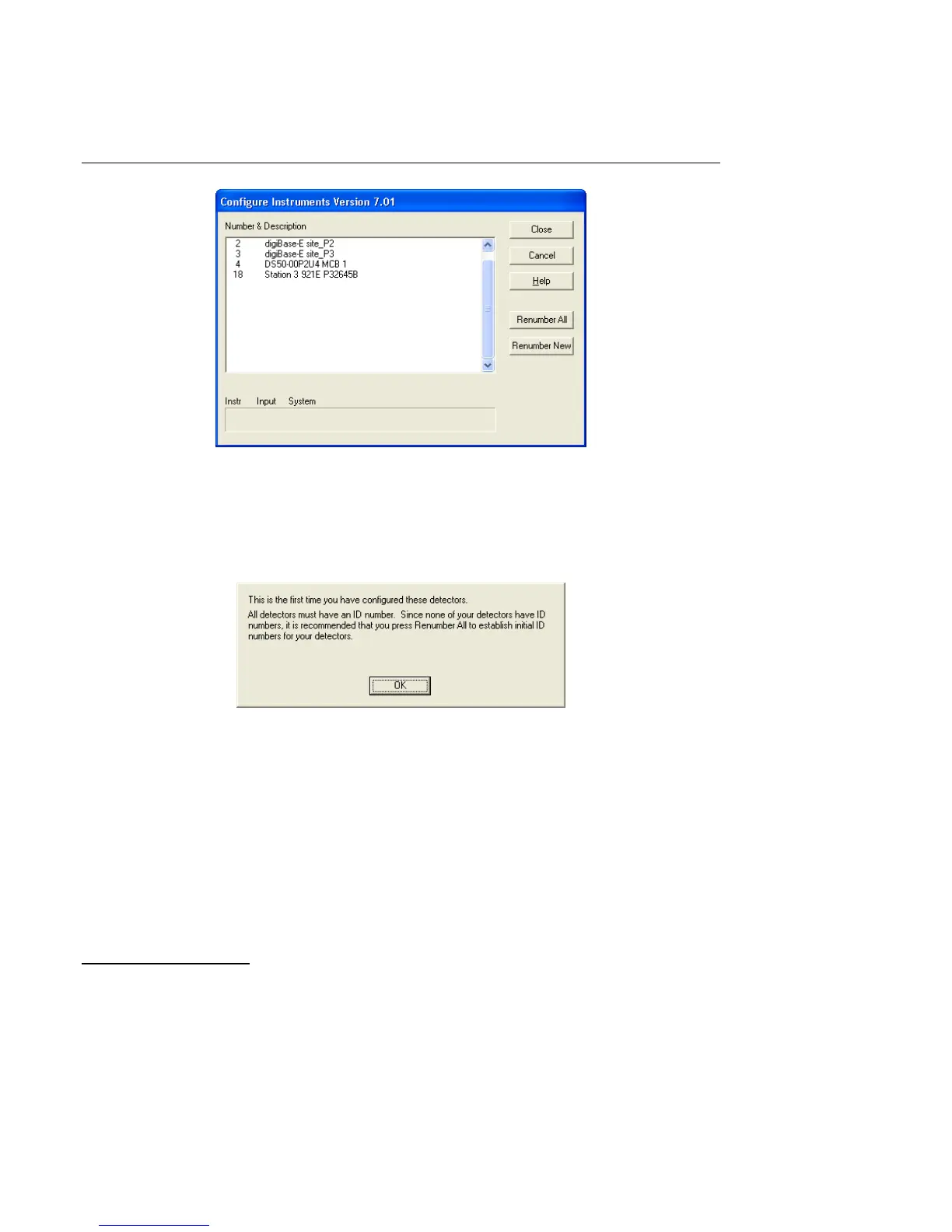
Figure 7. Assign a Non-Zero ID Number.
Figure 6. MCB Numbering and Descriptions.
2.3.5.1. Configuring a New Instrument
The first time a new instrument is detected, the dialog shown in Fig. 7 will remind you that all
new instruments must be assigned a unique, non-zero ID number.
4
Click on OK.
See the C
ONNECTIONS Driver Update Kit for instructions on customizing ID Numbers and
Descriptions, or simply click on the Renumber New button to renumber only the new
instruments.
NOTE We recommend not using the Renumber All button. In addition, we strongly recom-
mend not renumbering MCBs that “belong” to other users, as this could affect the
interaction between their MCBs and their ORTEC software, for instance, if they
control their MCBs with
.JOB files (e.g., the .JOB file command SET_DETECTOR 5),
or use the ORTEC GammaVision
®
or ISOTOPIC spectroscopy applications.



 To Next Page