20 of 27 21 of 27
6.0 Maintenance
6.1 Digit installation
i-limb
®
hands are only compatible with Touch Bionics
digits.
Do not over tighten screws.
Used screws should be discarded and
replaced using the new screws provided.
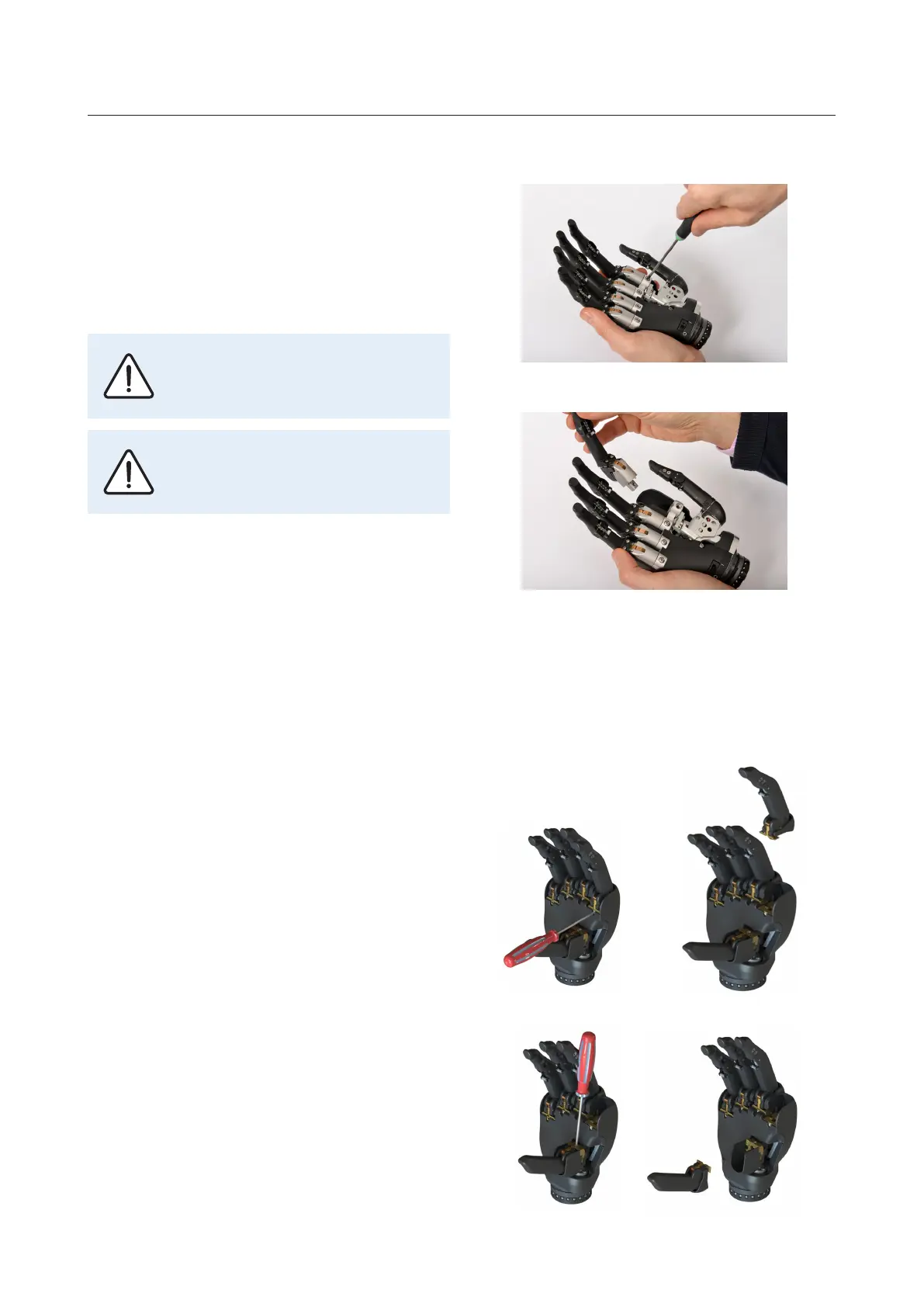
The following steps should be followed to replace a digit.
For extra small hands a T6 screwdriver is required.
For small, medium and large hands a T10 screwdriver is
required.
1. Ensure the i-limb
®
hand is switched o.
2. Use screwdriver to loosen the screw at the knuckle
block and remove the digit.
3. Select the appropriate sized replacement digit and
follow the steps in reverse to replace.
4. For extra small hands the screw should be torqued
to 1 Nm. For all other hand sizes, hand tighten the
screw.
6.2 Thumb installation
For extra small hands the thumb should be replaced us-
ing a T6 screwdriver and following these steps:
1. Rotate thumb to palmar position, so it is parallel
with index digit.
2. Remove index digit
3. Loosen thumb knuckle block screw
4. Remove thumb
Replace the thumb following the steps in reverse ensur-
ing thumb and index screws are torqued to 1 Nm.
The following maintenance can be carried out by a cer-
tified clinician. For annual service and repair the i-limb
hand should be returned to touch bionics, for your local
oce see address at back of this manual.


 To Next Page
 Loading...