36 37
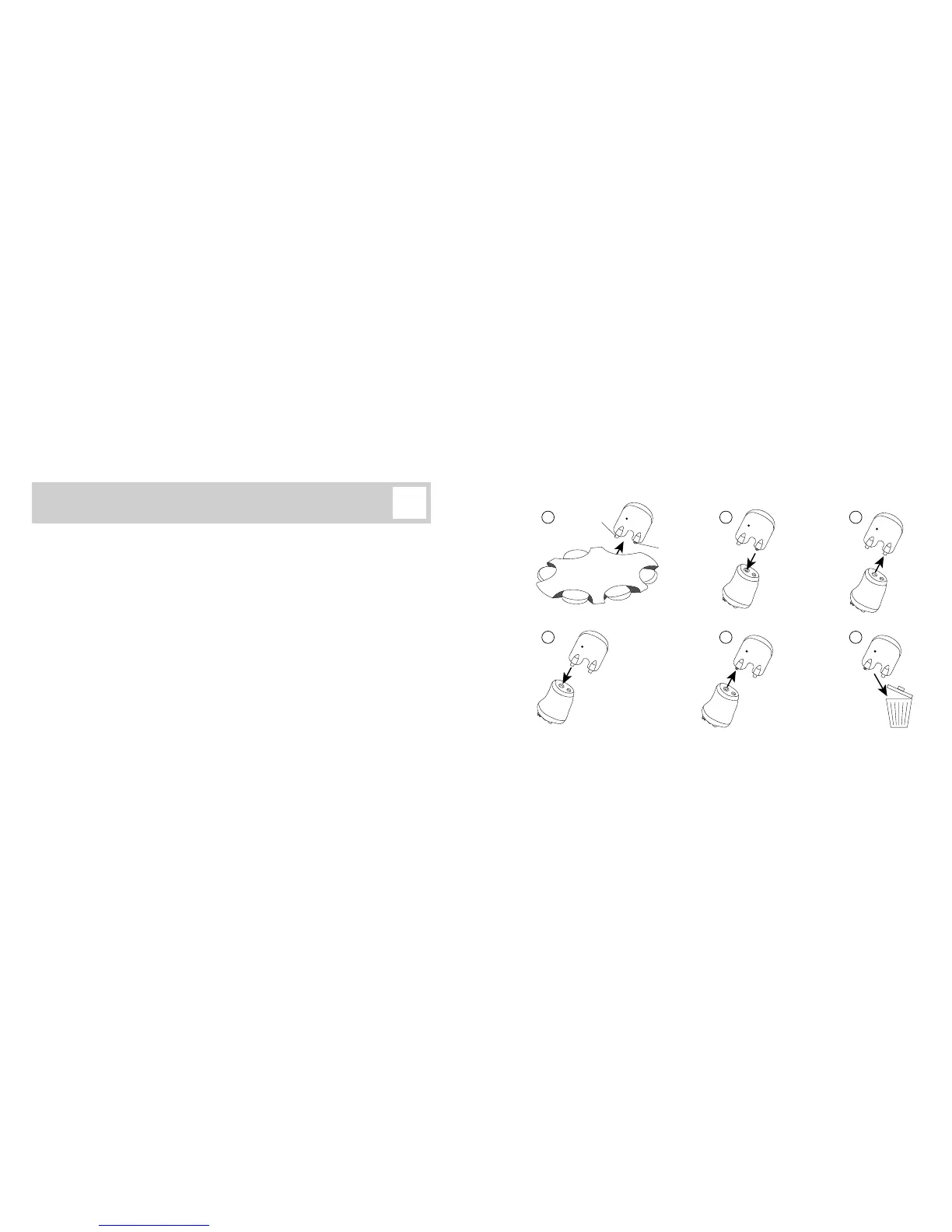
Replacing ProWax sound outlet lter
1. Remove the tool from the shell. The tool has two arms, one for removal of the ProWax
(A) and one with the new ProWax (B).
2. Push the empty removal arm into the existing ProWax lter
3. Remove the tool and the used lter. If the lter does not come out with a straight pull,
try to tilt the tool a bit when pulling it out.
4. Using the other arm, insert the new ProWax lter into the opening.
5. Remove the tool so that it leaves the new ProWax lter in the instrument.
6. Throw out the used tool.
4
1 2 3
5 6
B
A



 To Next Page