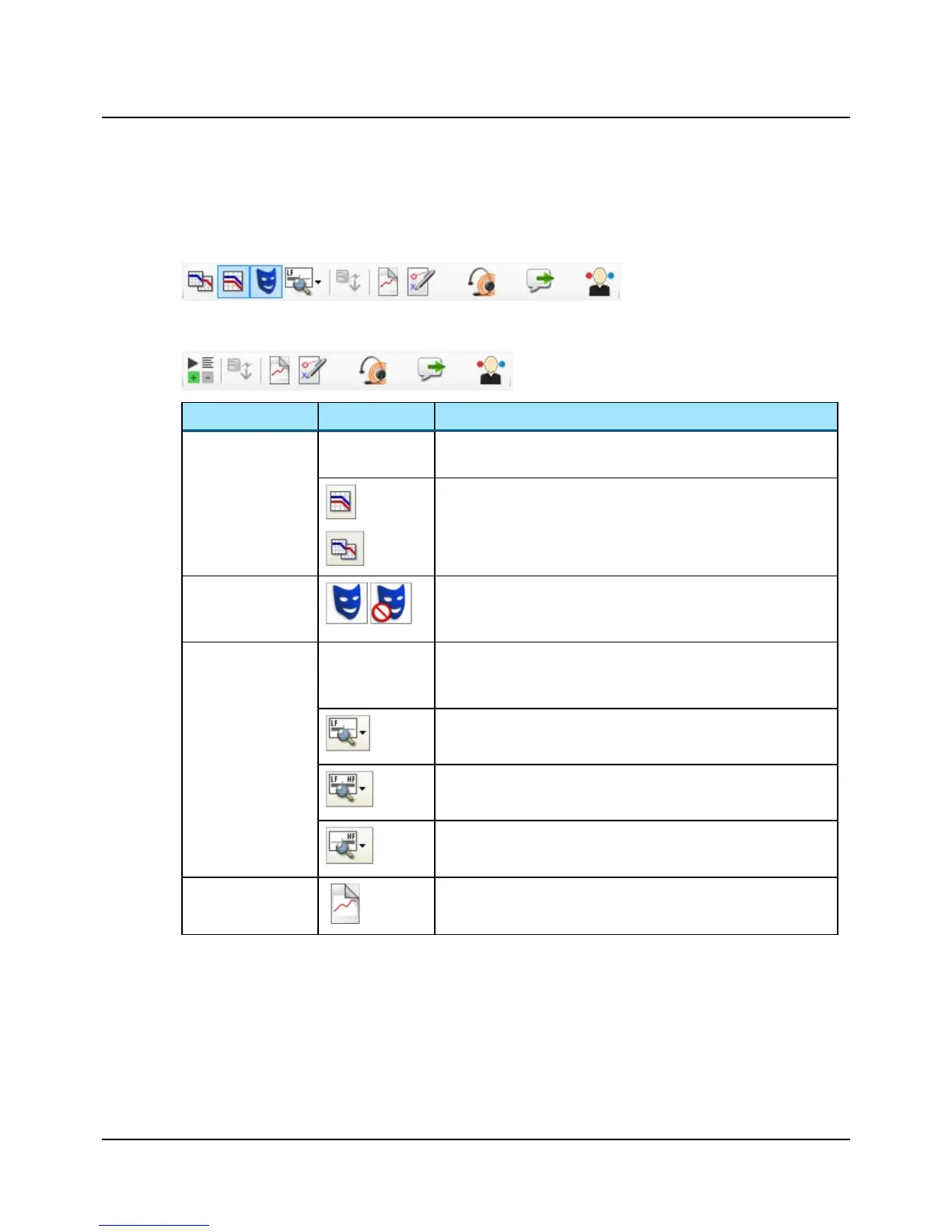
Audiometry icons
Tone audiometry
Speech audiometry
Menu item Icon Description
Combined Audiogram
Click to toggle between viewing both ears in a single audiogram (com-
bined audiogram) or both a left and a right audiogram on your screen.
Combined View
• Click to view both ears in a single audiogram.
Split View
• Click to view separate audiograms for each ear.
Masking Assistant
Enable or disable the Masking Assistant.
The Masking Assistant causes an unmasked threshold to flash repeatedly
if masking is recommended.
Standard / All / High
frequencies
The graph shows up to 20,000 Hz. AURICAL Aud presents stimulus up to
12,500 Hz.
• Click to choose between viewing:
Standard Frequencies
Displays the audiogram from 125 to 8000 Hz.
All Frequencies
Displays the audiogram from 125 to 20,000 Hz.
High Frequencies
Displays the audiogram from 8000 to 20,000 Hz.
New Audiogram
Select new audiogram. You will be prompted to save or cancel current
data.
Otometrics - AURICAL Aud
11
10 Toolbar icons in the Audiometry Module


 To Next Page