Caution • To connect AURICAL Aud to the PC, use the supplied USB cable. The cable length must not exceed
3 m (approx. 10 feet).
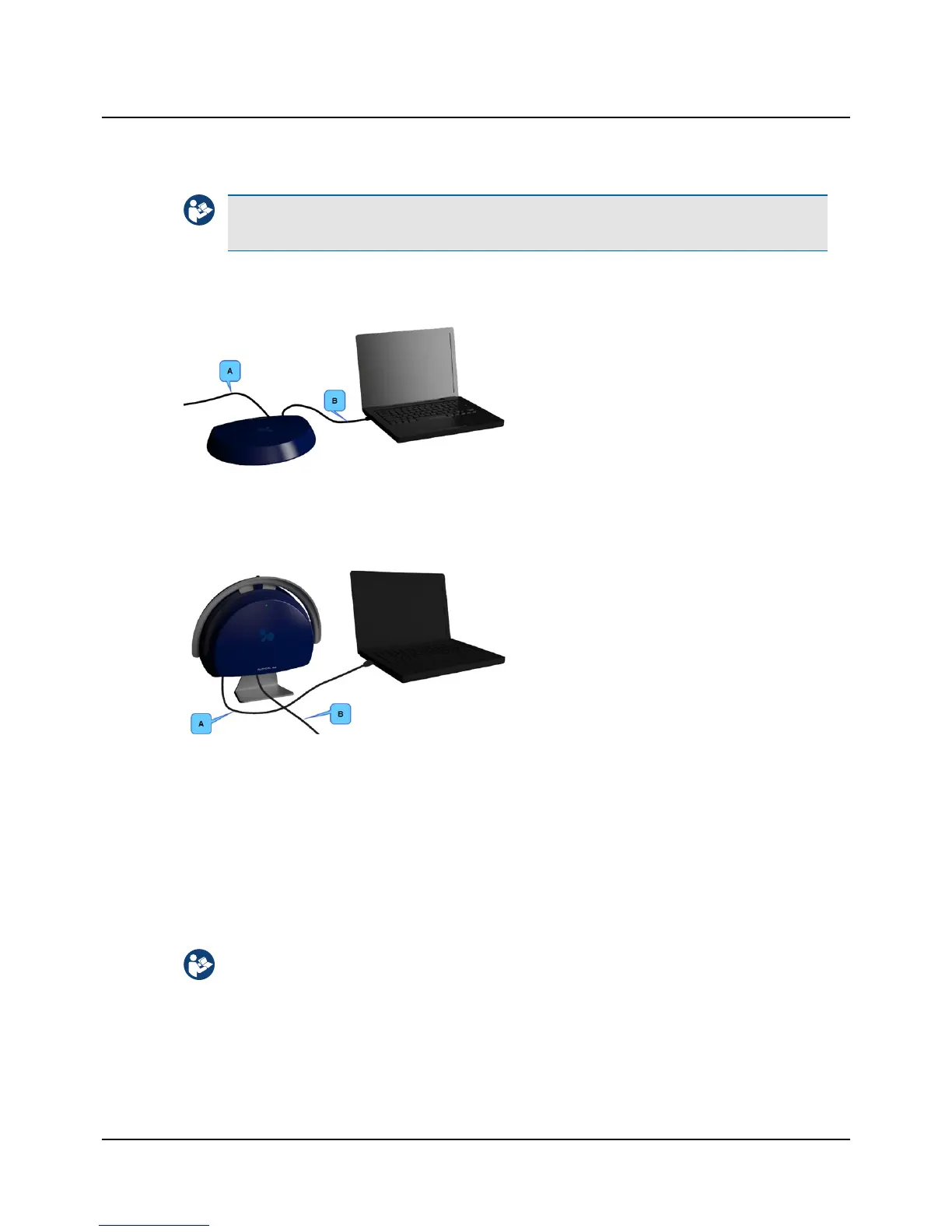
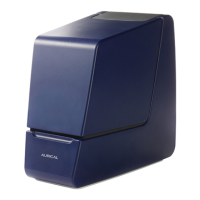
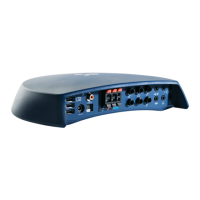
AURICAL Aud
A. External power supply cable
B. USB cable between AURICAL Aud and the PC
AURICAL speaker unit
A. USB cable between AURICAL Aud and the PC
B. External power supply cable
Connecting to OTOsuite
• Run the OTOsuite Configuration Wizard to connect to and set up communication with AURICAL Aud: Select Tools>
Configuration Wizard
5 Connecting accessories to AURICALAud
The installation must be carried out in accordance with IEC 60601-1-1 plus addendum in the form of Part 1:
General provisions -1 and UL 60601-1, CAN/CSA-C22.2 NO 601.1-90. The supplementary provisions on the reli-
ability of electro-medical systems.
It is a general rule for all electrical equipment used in the proximity of the client that:
• The connected equipment must comply with IEC 60601-1 and/or IEC 60601-1-1
except for the PC, and equipment connected to the line in and the line out sockets of AURICAL Aud.
6 Otometrics - AURICAL Aud
5 Connecting accessories to AURICALAud


 To Next Page