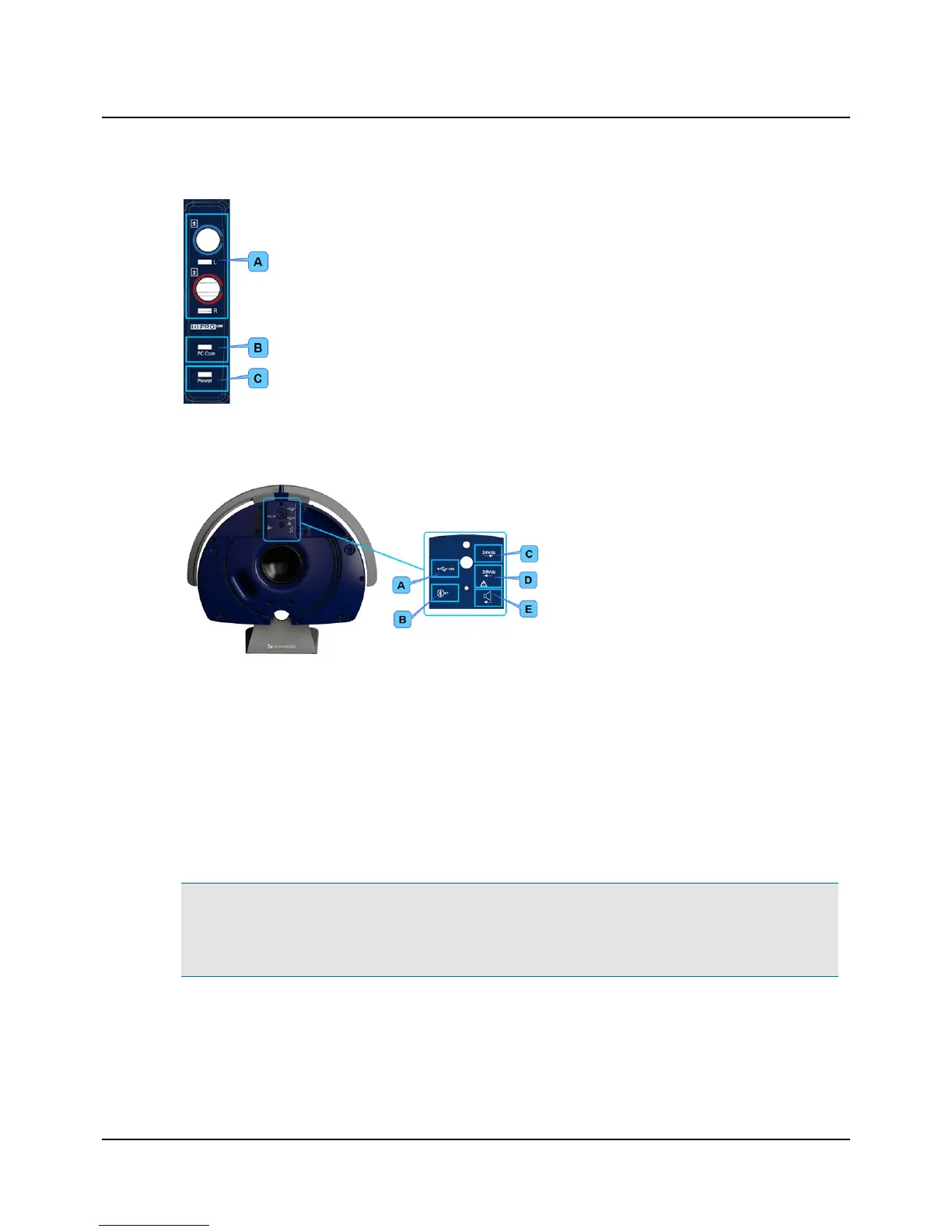
A. Hearing instrument connection cables
B. PC communication, light indicator
C. Power, light indicator
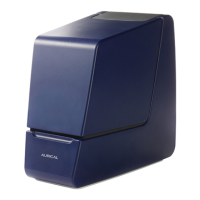
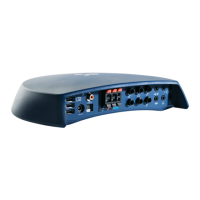
Connection panel - AURICAL speaker unit
To access the AURICAL speaker unit connection panel, remove the speaker cover.
A. USB to AURICAL Aud
B. BT (Bluetooth) for PMM communication
C. 24V DC out power supply to AURICAL Aud
D. 24V DC in for external power supply
E. Speaker input for connecting to AURICAL Aud
Connecting external speakers
External speakers can be connected to AURICAL Aud via powered output terminals or line-out terminals. In both cases you
should contact your service department for installation and calibration. See also Calibration ► 20.
6 Powering the device
AURICAL Aud is powered through an external power supply connected directly to the mains outlet.
Warning• AURICAL Aud is not provided with a mains switch.
To connect AURICAL Aud to the mains supply, plug the mains plug into the wall mains outlet.
To disconnect AURICAL Aud from the mains supply, pull the mains plug out of the wall mains outlet. Do not position
the unit so that it is difficult to pull the mains plug out of the wall mains.
1. Plug the external power supply into the Power socket in the connection panel.
2. Plug the mains plug of the external power supply into an AC mains outlet with a three-wire protective ground.
8 Otometrics - AURICAL Aud
6 Powering the device


 To Next Page