EasyManua.ls Logo

otometrics AURICAL Aud - User Manual

otometrics AURICAL Aud
38 pages
Print Icon
To Next Page IconTo Next Page
Loading...
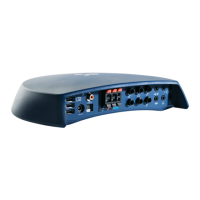
AURICALAud
User Guide
Doc. No.7-50-1270-EN/07
Part No.7-50-12700-EN

Other manuals for otometrics AURICAL Aud

Questions and Answers

Summary

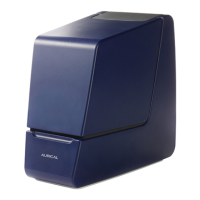
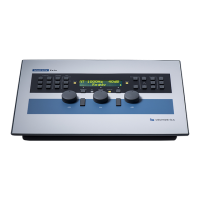
Device Description

Intended Use

Unpacking Procedures

System Installation Guide

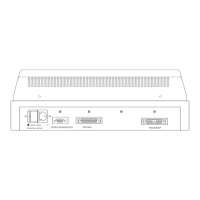
Connecting System Accessories

Powering the AURICAL Aud Device

Connecting AURICAL Aud to OTOsuite Software

On-Screen Controls Overview

PC Keyboard Control Functions

Audiometry Module Toolbar Icons

Proper Transducer Placement Techniques

Using the Masking Assistant

Performing Tone Audiometry Tests

Performing Speech Audiometry Tests

Service, Cleaning, and Calibration

Device Service and Repair Guidelines

For the sake of safety and in order not to void the warranty, service and repair of electro-medical equipment should be carried out only by the equipment manufacturer or by service personnel at authorized workshops.

Cleaning the Device and Accessories

Remove dust using a soft brush. Use a soft, slightly damp cloth with a small amount of mild detergent or approved non-caustic medical grade disinfectant wipes to clean the unit.

Other References and Information

Technical Specifications

AURICAL Aud Technical Details

Type identification, Channels, Frequency range for Insert earphones.

HI-PRO 2 (Built-in) Specifications

Ports for hearing instruments, Safety, EMC, Accessories.

AURICAL Speaker Unit Specifications

Interfaces, Dimensions, Speaker.

Accessory Specifications and Variations

Standard accessories and optional accessories may vary from country to country - please consult your local distributor.

Notes on EMC (Electromagnetic Compatibility)

Guidance and manufacturer's declaration - electromagnetic emissions for all equipment and systems.

Definition of Symbols Used

Important Warning Notes

Connector Warning Notes

Warning. Never mix connections between the two types of connectors shown below: Direct connectors.

General Warning Notes for Device Operation

Warning notes applying to the AURICAL speaker unit charger when in use with AURICAL FreeFit, see the warning notes in the AURICAL FreeFit Safety section.

Manufacturer Information

Manufacturers Responsibility Statement

The manufacturer is to be considered responsible for effects on safety, reliability, and performance of the equipment only if:

Summary

Device Description

Intended Use

Unpacking Procedures

System Installation Guide

Connecting System Accessories

Powering the AURICAL Aud Device

Connecting AURICAL Aud to OTOsuite Software

On-Screen Controls Overview

PC Keyboard Control Functions

Audiometry Module Toolbar Icons

Proper Transducer Placement Techniques

Using the Masking Assistant

Performing Tone Audiometry Tests

Performing Speech Audiometry Tests

Service, Cleaning, and Calibration

Device Service and Repair Guidelines

For the sake of safety and in order not to void the warranty, service and repair of electro-medical equipment should be carried out only by the equipment manufacturer or by service personnel at authorized workshops.

Cleaning the Device and Accessories

Remove dust using a soft brush. Use a soft, slightly damp cloth with a small amount of mild detergent or approved non-caustic medical grade disinfectant wipes to clean the unit.

Other References and Information

Technical Specifications

AURICAL Aud Technical Details

Type identification, Channels, Frequency range for Insert earphones.

HI-PRO 2 (Built-in) Specifications

Ports for hearing instruments, Safety, EMC, Accessories.

AURICAL Speaker Unit Specifications

Interfaces, Dimensions, Speaker.

Accessory Specifications and Variations

Standard accessories and optional accessories may vary from country to country - please consult your local distributor.

Notes on EMC (Electromagnetic Compatibility)

Guidance and manufacturer's declaration - electromagnetic emissions for all equipment and systems.

Definition of Symbols Used

Important Warning Notes

Connector Warning Notes

Warning. Never mix connections between the two types of connectors shown below: Direct connectors.

General Warning Notes for Device Operation

Warning notes applying to the AURICAL speaker unit charger when in use with AURICAL FreeFit, see the warning notes in the AURICAL FreeFit Safety section.

Manufacturer Information

Manufacturers Responsibility Statement

The manufacturer is to be considered responsible for effects on safety, reliability, and performance of the equipment only if:

otometrics AURICAL Aud Specifications

General IconGeneral
Brandotometrics
ModelAURICAL Aud
CategoryMeasuring Instruments
LanguageEnglish

Related product manuals